Many people using social media are increasingly worried about their privacy. Facebook, being one of the biggest social platforms out there, provides a range of privacy options to give users control over who sees their posts and engages with them. One of these options lets users hide their list of followers, giving them more privacy and control over how they appear online.
This article discusses how to hide your followers from other users on the Facebook website and Facebook mobile app.
Also read: How to delete your Facebook account?
Why hide followers on Facebook?
There are various reasons why someone might prefer to hide their followers on Facebook:
- Privacy concerns: Some people choose to keep their social media interactions away from specific individuals or groups, such as people they don’t know or casual acquaintances, to keep their online presence more private.
- Control over personal information: Hiding followers gives users greater control over who can see their social connections, providing a sense of security and privacy.
- Reducing unwanted attention: Hiding followers can be a way to minimise unwanted attention or interactions from certain individuals.
Hide followers on the Facebook mobile app
If you want to hide your Facebook followers from other Facebook users using the Facebook mobile app then follow the steps below:
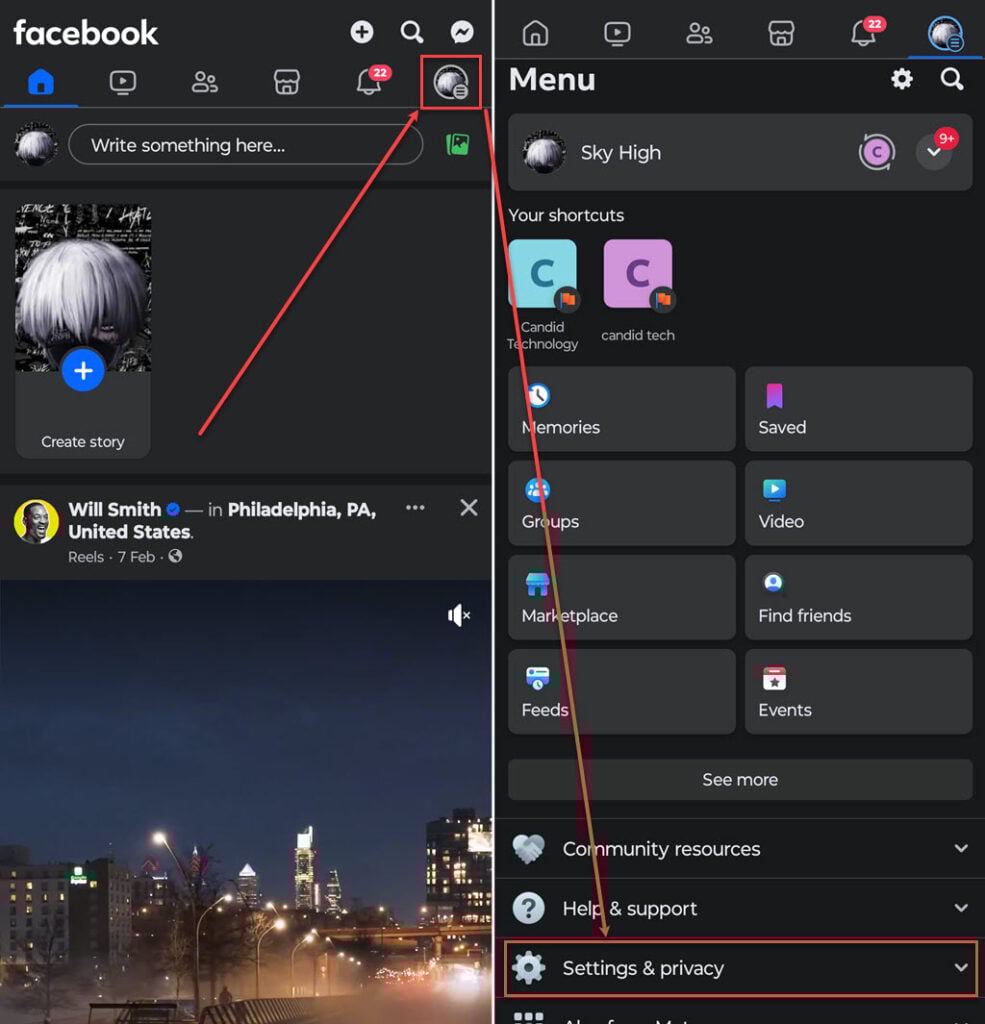
- Open the Facebook app on your phone and tap on the Menu icon at the top right corner of the screen.
- In the Menu scroll down and tap on the Settings & Privacy option to expand it.
- Now, tap on the Settings option.
- Scroll down, find and tap on the Followers and public content option available under the Audience and visibility section.

- In followers and public content, tap on the dropdown menu beside Who can see your followers on your timeline.
- Tap on the Only me option.

Now, no Facebook user can see your followers except you.
Hide followers on the Facebook website
To hide your followers on the Facebook website follow the steps below:
Step 1: Open your Facebook account on the browser and click on the Menu icon at the top right corner of the screen.

Step 2: In the menu, click on the Settings & privacy option.

Step 3: Now, click on the Settings option.

Step 4: Scroll down in the sidebar, find and click on the Followers and public content option available under the Audience and visibility section and then click on the dropdown menu beside Who can see your followers on your timeline.

Step 5: Click on the Only me option and then click on the Save button.

Also read: How to remove myself as an admin on Facebook page?