The hostname of a system is generally set during the OS installation procedure or dynamically if you’re installing the OS on a virtual machine. However, it can be changed whenever you want.
In this article, we’re going over how you can change the hostname in Ubuntu. The process for changing the hostname on Ubuntu 20.04 and 18.04 LTS versions is identical.
Also read: Mint vs Ubuntu: Linux distro comparison
What are hostnames?
Let’s first take a look at what exactly are hostnames?
In layman terms, a hostname is a label that identifies a machine over a network. There are three distinct types of hostnames.
- Static: These are traditional types of hostnames saved in the /etc/hostname file and can be changed by the user.
- Pretty: These are descriptive free-form UTF8 hostnames that can be used for presentation purposes by the user.
- Transient: These are dynamic hostnames that are maintained by the kernel. Servers like DHCP or mDNS can change such hostnames dynamically at runtime. By default, transient hostnames are the same as static ones.
Only users with sudo privileges can change the system hostname. It’s recommended that you use a fully qualified domain name, otherwise known as FQDN. The general syntax for such hostnames is host.example.com.
Also read: How to install PHP in Ubuntu?
Changing the hostname on Ubuntu 20.04 LTS and 18.04
You can use the hostnamectl command to view the current hostname and change it as well.

In order to change the hostname on Ubuntu 20.04, use the following commands.
sudo hostnamectl set-hostname [enter hostname here]
If you’re looking to change the pretty hostname, use this command.
sudo hostnamectl set-hostname "pretty username here" --pretty
Note that the hostnamectl command doesn’t produce an output. If the command is successful, 0 is returned. Otherwise, you’ll get a non-zero failure code.
Another thing to keep in mind that your static username is stored in the /etc/hostname file, and the pretty username is saved in the /etc/machine-info file. You can modify these files with a text editor to change the hostnames as well.
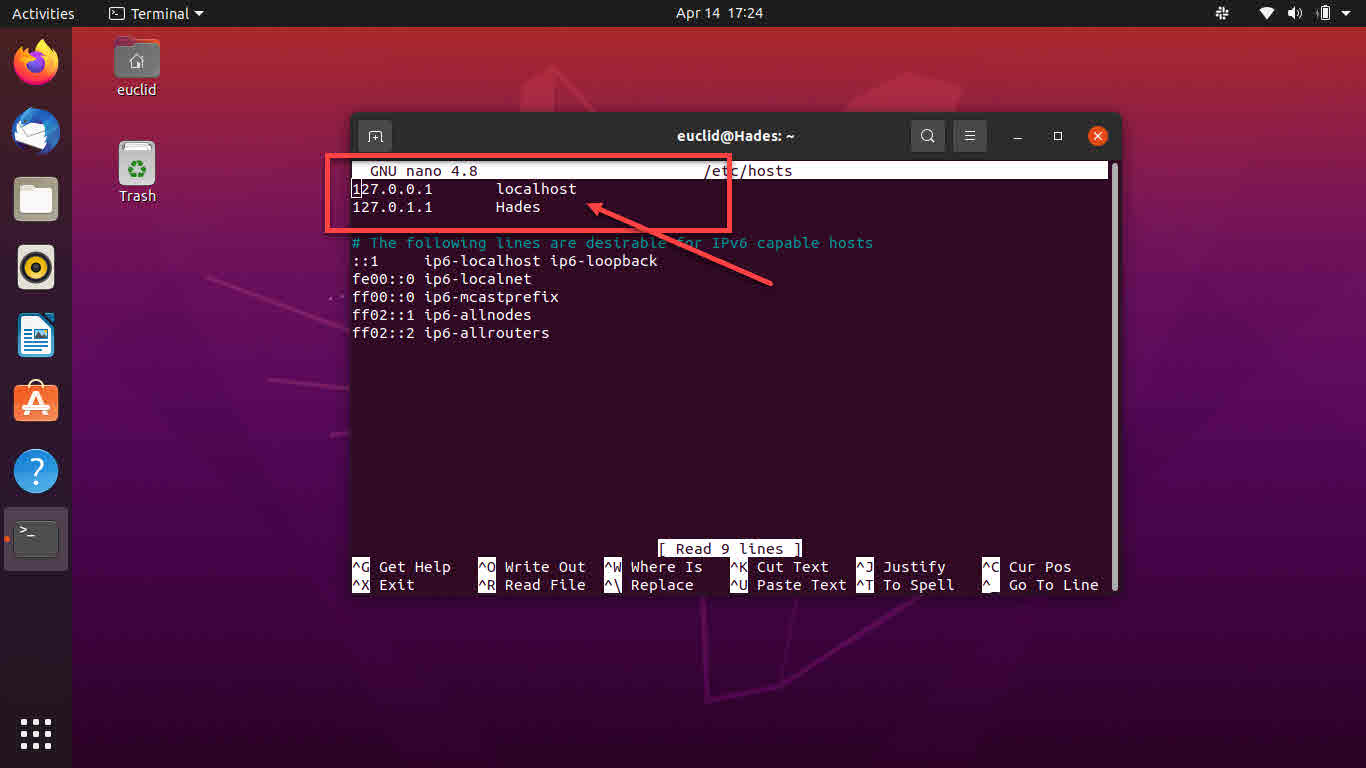
On most systems, the default hostname is mapped to 127.0.0.1 in the /etc/hosts file. It would help if you considered adding the second hostname here as well.
If you’re running a cloud instance of Ubuntu, you also need to edit the /etc/cloud/cloud,cfg file that comes with the cloud-init package installed by default.
You can verify the new hostname by typing the hostnamectl command in the terminal and pressing enter.
Also read: How to install pip in Ubuntu?