Finding the right mouse is not an easy job, and at times, it can feel weirdly overwhelming. But worry not, we are here to make your job easier. You must know that Logitech is a brand that consistently gets things right. And hence, in this post, we have rounded up the best Logitech mice under $100 that deliver.
So, without further ado, let’s get started.
1. Logitech B100 Optical Mouse
- Type: Wired basic optical mouse
If you do not want to spend much, but still want the best that money can buy, then the Logitech B100 Optical Mouse is a good option. It’s a simple, basic mouse that proves to be perfect for regular office and school use.

It’s not a gaming mouse, so don’t expect anything fancy. That said, it has a sensitivity level of 800 DPI and offers precise cursor control. Be it editing documents, scrolling through long PDFs, or navigating through the web, it can do so efficiently and effortlessly. And since it’s a wired mouse, you don’t have to worry about lag or latency.
| Pros | Cons |
| Inexpensive | Not for gaming |
| Works as expected | |
| Plug and play | |
| Durable |
2. Logitech Signature M650
Type: Wireless/work mouse
Stepping up a bit in price, the Logitech Signature M650 is another solid work mouse. Unlike the one above, it’s a wireless mouse, making it portable and easy to carry. Visually and ergonomically, it follows a similar design language. However, if you have a claw grip or slightly larger hands, you may find it a little difficult to hold this mouse.
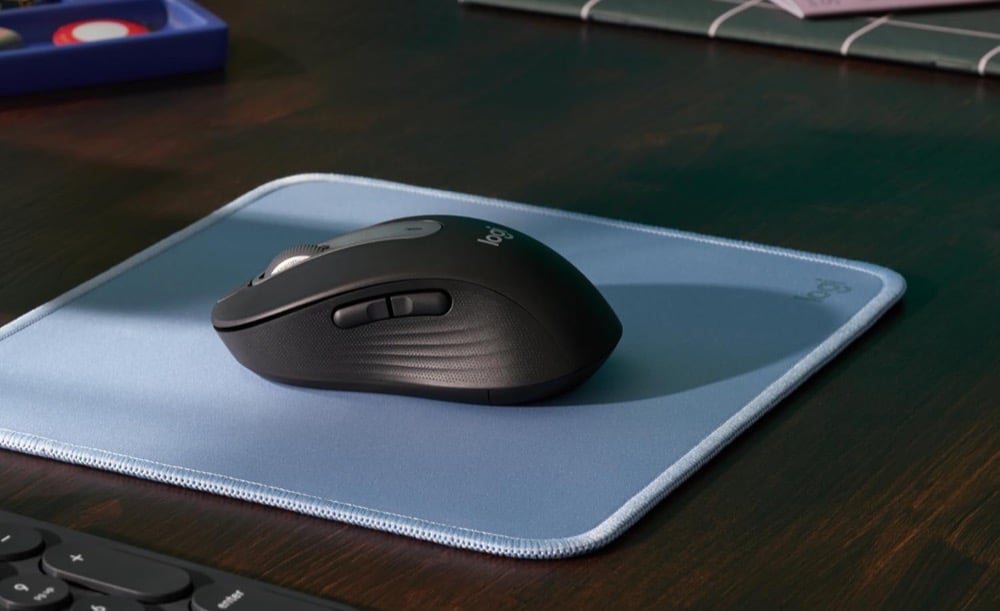
Another highlight of the Logitech Signature M650 is its dual connectivity. So, if you plan to switch between your work laptop and home PC, you can do so with ease. Another advantage of this Logitech work mouse is the two customizable buttons on the side. Using them, you can set shortcuts like Back and Forward.
The Logitech Signature M650 has a durable build and is designed to last. At the same time, its stable Bluetooth connection ensures you can glide through your work without any dropouts.
| Pros | Cons |
| Stable Bluetooth connection | Slightly on the expensive side |
| Dual connectivity | Made for small to medium hands |
| Customizable side buttons |
3. Logitech G203 Wired Gaming Mouse
Type: Wired gaming mouse
The Logitech G203 is perhaps one of the most popular wired mice out there, and it’s a great pick if you’re looking for a durable and highly functional gaming mouse without breaking the bank. It has quite a few things going for it. For one, the RGB lighting ensures it matches your gaming setup. More importantly, the 8,000 DPI sensor allows for accurate and responsive tracking — something that really matters when you’re playing fast-paced games like Valorant, CS2, or Apex Legends, where precision and quick reflexes can make you stand out.
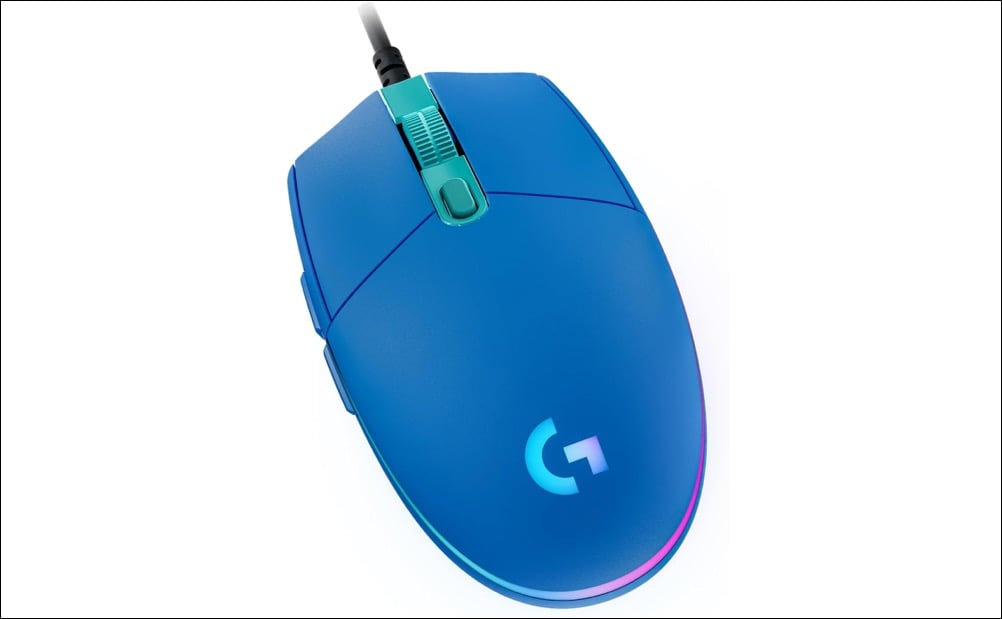
The wired setup eliminates any chance of latency or lag, providing a reliable, no-delay experience. It’s built to last, with a sturdy design and a braided cable that resists tangling and everyday wear. Plus, Logitech rates it for up to 10 million clicks, so you can game, grind, and click away without worry.
The Logitech G203 also doubles as an effective mouse for work. I used it for around three years, and its lightweight design and reliability made it a great companion. I could scroll through long PDFs and websites effortlessly, and click my way through Amazon pages without a hitch.
| Pros | Cons |
| Lightweight and reliable | Occasional Switch Failures |
| Braided cable adds to longevity | |
| Precision scroll |
4. Logitech G305 Lightspeed Wireless Gaming Mouse
Type: Wireless gaming mouse
Now, if you’re looking for a Logitech gaming mouse without spending a fortune, the Logitech G305 is a solid pick. It packs some impressive features like the HERO 12K sensor, a whopping 12,000 DPI, ultra-low latency, and programmable buttons. All of these come together to give you a smooth, responsive experience that lets you glide through your games with ease.
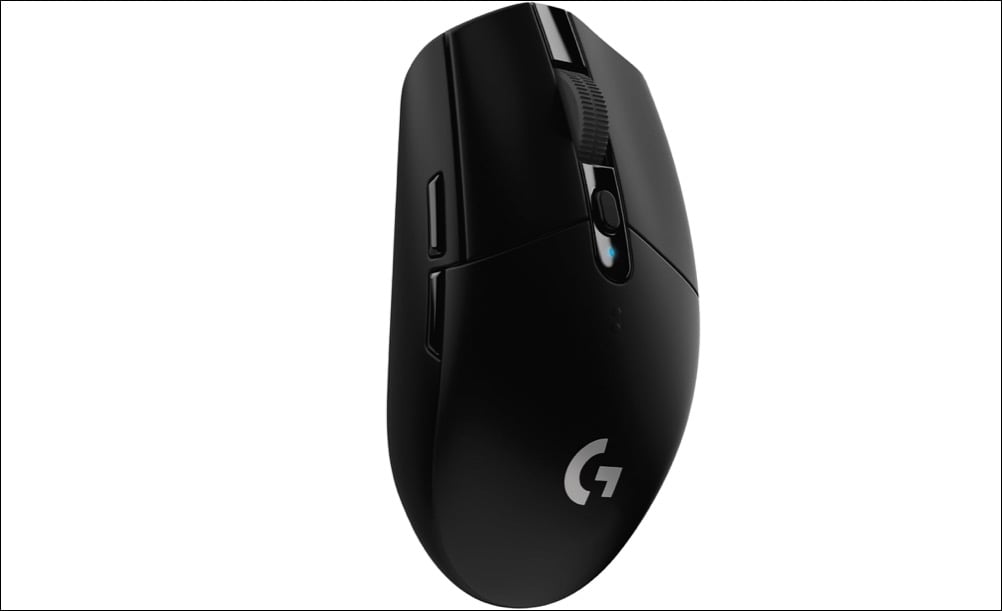
The tracking is smooth and precise, and the lightweight chassis makes movement effortless. More importantly, the ergonomic shape ensures you can play for long hours without any hand fatigue or cramping.
Lastly, the battery life is impressive. It offers up to 250 hours on a single AA battery, and once it’s powered up, you can forget about charging for weeks. Cool, right? If you’re looking for a great gaming mouse without spending a ton, the Logitech G305 Lightspeed is an excellent place to start.
| Pros | Cons |
| Wireless and low latency | N/A |
| Precise and accurate | |
| Extraordinarily lightweight |
Looking to take things up a notch? Check out the special edition G305 Lightspeed featuring Sayu, Thoma or Shikanoin Heizou. It’s perfect for Genshin Impact fans who want performance with a touch of personality.
5. Logitech M720 Triathlon
Type: Multi‑device Bluetooth/USB mouse
The Logitech M720 Triathlon takes things up a notch, thanks to its brilliant features. While the hyper-fast scrolling lets you glide through long spreadsheets and documents as fast as a flying squirrel (not kidding!), the 1,000 DPI ensures that tracking is precise and on point.
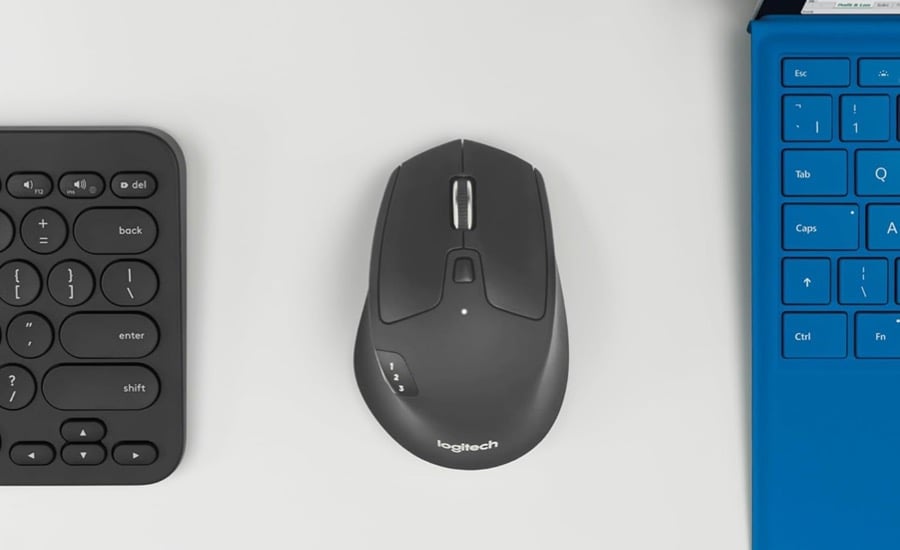
It’s an all-rounder mouse, and you can switch between three devices with ease. Just set them up once, and after that, switching between systems is as simple as 1-2-3. And that’s not all. Logi Flow also allows you to copy text and files on one computer and paste them on another, without needing to AirDrop or email them. Pretty handy, right? Needless to say, it saves a lot of time in the long run. So if you often switch between multiple systems, this is the Logitech mouse you should go for.
The Logitech M720 Triathlon mouse is more expensive than the Signature M650. However, it has a slight edge over the latter. For one, you get up to six programmable buttons. These are buttons you can customize based on your workflow, helping you save time in the long run.
It’s slightly larger in size, making it a comfortable fit even for users with bigger hands.
| Pros | Cons |
| Allows you to share files and images between connected systems | Expensive |
| Ergonomic | |
| 6 programmable buttons | |
| Ultra fast scroll |
6. MX Anywhere 3S
Type: Compact wireless productivity mouse
The MX Anywhere 3S may look a lot like Logitech’s Signature M650, since both sport a sleek and minimal design. Plus, both mice boast quiet clicks. However, the similarities end there. The MX Anywhere 3S is a premium mouse and comes packed with features for productivity-focused users.

From Flow support and multi-device connectivity to USB-C charging and high-precision tracking, this one is designed to level up your productivity game.
And there’s more to the story. For one, it’s reliable and comfortable to hold for extended periods. More importantly, the built-in 8,000 DPI Darkfield sensor ensures that you can even use it on glass surfaces if needed. The scroll speed is impressive too, thanks to the hyper-fast MagSpeed scroll. So, if you have a long Excel sheet to parse, a simple swipe of the mouse wheel is all it takes.
| Pros | Cons |
| Versatile tracking on any surface | Small size can be uncomfortable to hold for many |
| Reliable and comfortable to hold | Expensive |
| Quiet MagSpeed scroll |
Mouse Away
These were some of the best Logitech mice you can buy under $100. Each of them comes with a solid mix of sensor performance and build quality, making them ideal for various use cases. So whether you’re looking for high-DPI accuracy for FPS gaming or multi-device workflow support for hybrid setups, Logitech has you covered. The best part is that each of these devices is durable and built to last.