Little Alchemy 2 is a delightful game where players combine elements to create new items, discovering the world’s building blocks in the process. One of the foundational elements you might want to create is a Tree.
Here is the step-by-step guide on how to make a Tree in Little Alchemy 2, starting from the basic elements. You can watch the video below or continue reading the article.

Also read: How to make Dragon in Little Alchemy 2?
Combinations to create a Tree
There are four combinations that you can use to create a Tree in Little Alchemy 2 and they are mentioned below:
- Plant + Big
- Plant + Wood
- Plant + Time
- Nest + Container
Creating a Tree in Little Alchemy 2
To create a Tree in Little Alchemy 2, we will use Plant and Big.
To create a Tree follow the steps below:
Step 1: To create a Tree we need Plant and Big. To create a Plant we need Life and Soil and to create Big we need Philosophy and Planet.
Firstly, we will combine Earth and Earth to create Land.

Step 2: To create a Continent combine Land and Land.

Step 3: Now, create Planet, to do that combine Continent and Continent.

Step 4: Combine Water and Water to create a Puddle.

Step 5: Combine Puddle and Puddle to create a Pond.

Step 6: Now, we will be combining Pond and Pond to create Lake.

Step 7: Combine Lake and Lake to create a Sea.

Step 8: Finally, combine the Sea and Earth to create a Primordial Soup.

Step 9: Combine Fire and Fire to create Energy.

Step 10: Combine Primordial Soup and Energy to create Life.

Step 11: Combine Earth and Life to create Soil.

Step 12: Combine Life and Soil to create Plant.
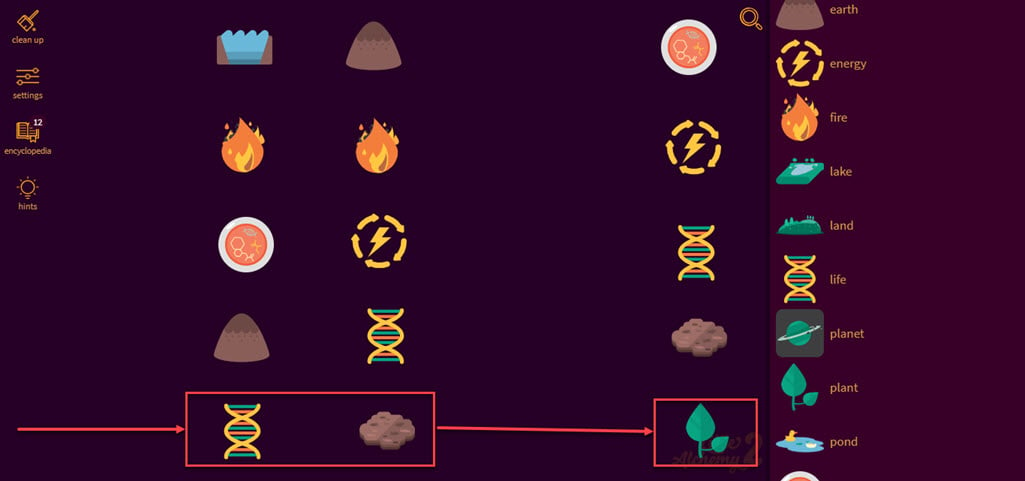
Step 13: Now, we will create Lava by combining Earth and Fire.

Step 14: Combine Air and Lava to create Stone.

Step 15: Combine Stone and Stone to create a Wall.

Step 16: Combine Wall and Wall to create a House.

Step 17: We will be needing Field. So, combine Fire and Stone to create Metal.

Step 18: Combine Metal and Earth to create a Plow.

Step 19: Combine Eath and Plow to create a Field.

Step 20: Combine Field and House to create a Barn.

Step 21: Combine Fire and Life to create Phoenix.

Step 22: Combine Phoenix and Phoenix to create an Egg.

Step 23: Combine Egg and Barn to create Chicken.

Step 24: Combine Chicken and Egg to create Philosophy.

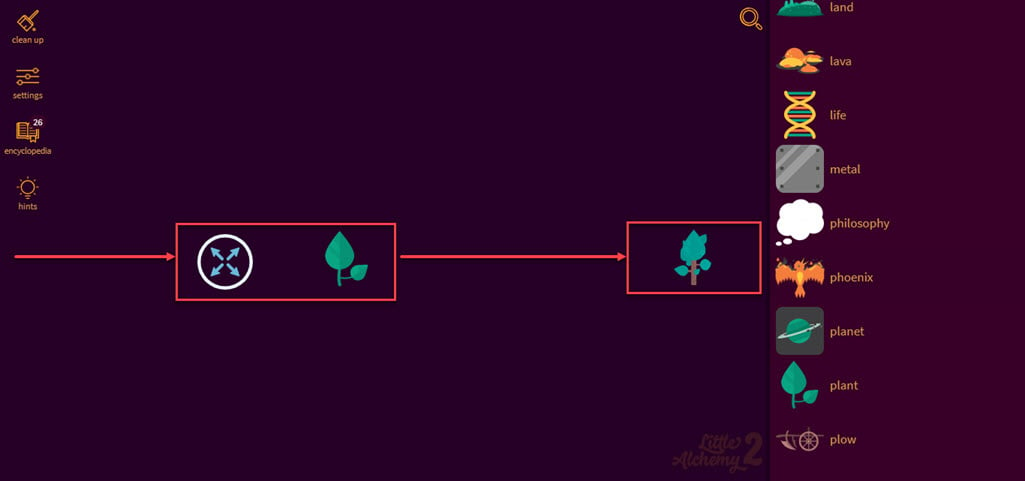
Step 25: Combine Philosophy and Planet to create Big.

Step 26: Finally, combine Big and Plant to create a Tree.
Elements you can create using a Tree
There are various elements that you create using a Tree, and they are mentioned below:
- Fire + Tree = Ash
- Tree + Bee = Beehive
- Tree + Pottery = Bonsai Tree
- Tree + Scissors = Bonsai Tree
- Tree + Wire = Bonsai Tree
- Tree + Small = Bonsai Tree
- Sand + Tree = Cactus
- Desert + Tree = Cactus
- Tree + Night = Carbon Dioxide
- Fire + Tree = Charcoal
- Tree + Light Bulb = Christmas Tree
- Tree + Star = Christmas Tree
- Tree + Candle = Christmas Tree
- Tree + Light = Christmas Tree
- Tree + Gift = Christmas Tree
- Tree + Sea = Coral
- Tree + Ocean = Coral
- Beaver + Tree = Dam
- Tree + Family = Family Tree
- Tree + Village = Family Tree
- Tree + Tree = Forest
- Tree + Plant = Forest
- Tree + Land = Forest
- Tree + Container = Forest
- Flower + Tree = Fruit
- Tree + Farmer = Fruit
- Fruit + Tree = Fruit Tree
- Glass + Tree = Greenhouse
- Aquarium + Tree = Greenhouse
- Tree + Wind = Leaf
- Human + Tree = Lumberjack
- Animal + Tree = Monkey
- Bird + Tree = Nest
- Egg + Tree = Nest
- Tree + Farmer = Nuts
- Tree + Field = Nuts
- Tree + Domestication = Nuts
- Desert + Tree = Oasis
- Fruit Tree + Tree = Orchard
- Sun + Tree = Oxygen
- Carbon Dioxide + Tree = Oxygen
- Tree + Beach = Palm
- Tree + Island = Palm
- Tree + Sand = Palm
- Tree + Small = Plant
- Tree + Blade = Sap
- Tree + Manatee = Sloth
- Fire + Tree = Smoke
- Mouse + Tree = Squirrel
- Mud + Tree = Swamp
- Tree + Lake = Swamp
- Tree + House = Treehouse
- Tree + Wood = Treehouse
- Tree + Tool = Wood
- Tree + Axe = Wood
- Tree + Chainsaw = Wood
- Tree + Sword = Wood
- Tree + Lumberjack = Wood
- Tree + Bird = Woodpecker
Creating a tree in Little Alchemy 2 is a satisfying milestone that unlocks numerous new possibilities. By following the steps above, you’ll have your tree in no time and can continue exploring the vast combinations the game offers. Enjoy the process of discovery, and happy alchemising.
Also read: How to make Dragon in Little Alchemy 2?