
While phone numbers are a common method for account verification, there are situations where you might prefer to avoid using one. Luckily, creating a Gmail account doesn’t always require a phone number. Remember that Google might ask for a phone number for verification purposes later, but it is not always required initially.
This guide will walk you through the steps to create a Gmail account without needing phone number verification. You can watch the video below or continue reading the article.

Also read: Fix: Gmail action failed due to an error
Steps to create a Gmail account without a phone number
Follow the steps below to create a Gmail account without a phone number:
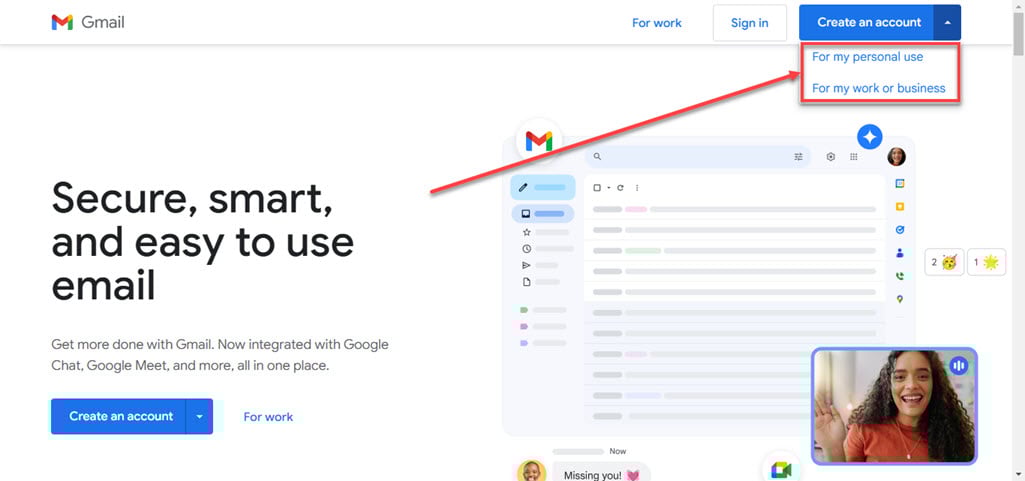
Step 1: Open Gmail from Google.com or the Gmail website and click the Create an account button at the top right corner.

Step 2: Choose the type of account you want to create. We will choose the For my personal use for this example.
Step 3: Enter the first name, you can skip the last name, it’s your choice. Click on the Next button.

Step 4: Enter the Date of birth then choose the Gender and then click on the Next button.

Step 5: Choose your account username and click the Next button.

Step 6: Now, create a password for your account and click on the Next button.

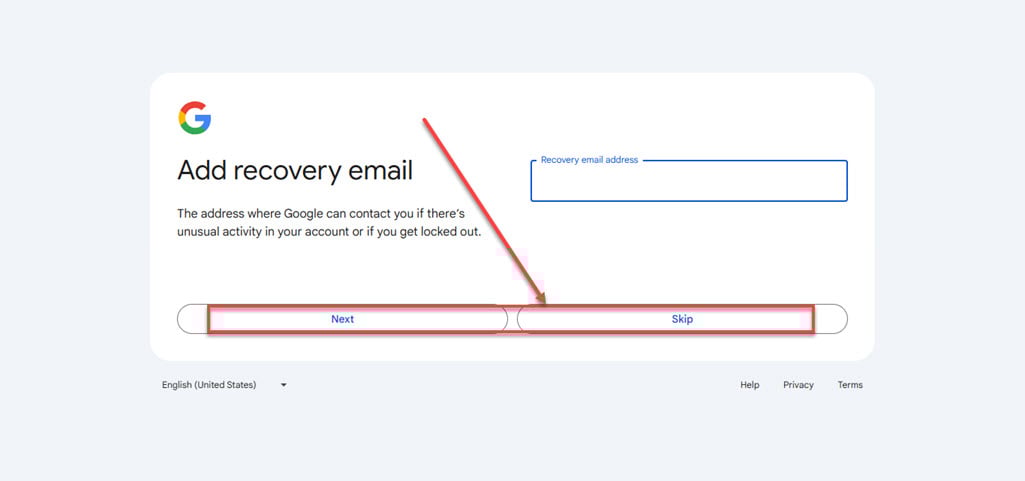
Step 7: It will ask you to add a recovery email. If you want to add one, enter a recovery email and then click on the Next button otherwise click on the Skip button.
Step 8: It will show you your email address, click on the Next button.

Step 9: It will show you a privacy statement, scroll down and click on the I agree button.

Your new Gmail account has been created without your phone number being used.
While Google prefers phone number verification to enhance security, it is possible to create a Gmail account without it by following the steps outlined above. Remember that providing an alternate email address is crucial for account recovery. By using incognito mode, different devices, or VPN services, you can successfully set up a Gmail account without a phone number, ensuring your privacy and convenience.
Also read: How to change the subject line in Gmail?






