
Many people wonder how to delete their order history on Flipkart, as the Site doesn’t allow this. However, there are a few steps you can take to bypass Flipkart’s policy restrictions. These steps involve talking to customer care and ordering via the incognito mode.
In this article, we’ll detail these steps so that you can try and delete your order history on Flipkart. But first, let us understand what it is and why is it important.
Flipkart order history explained
Flipkart’s order history is a list of all the orders that are under processing or those you have received, returned or cancelled.
As Flipkart probably receives hundreds of thousands of orders daily, the company needs to maintain a receipt of the paperwork. The same paperwork is also shown in Flipkart’s order history. In case any legal or customer complaint challenge arises, the order history provides a detailed paperwork trail.
This is why Flipkart doesn’t allow customers to delete their order history and has no such functionality on the website or the app.
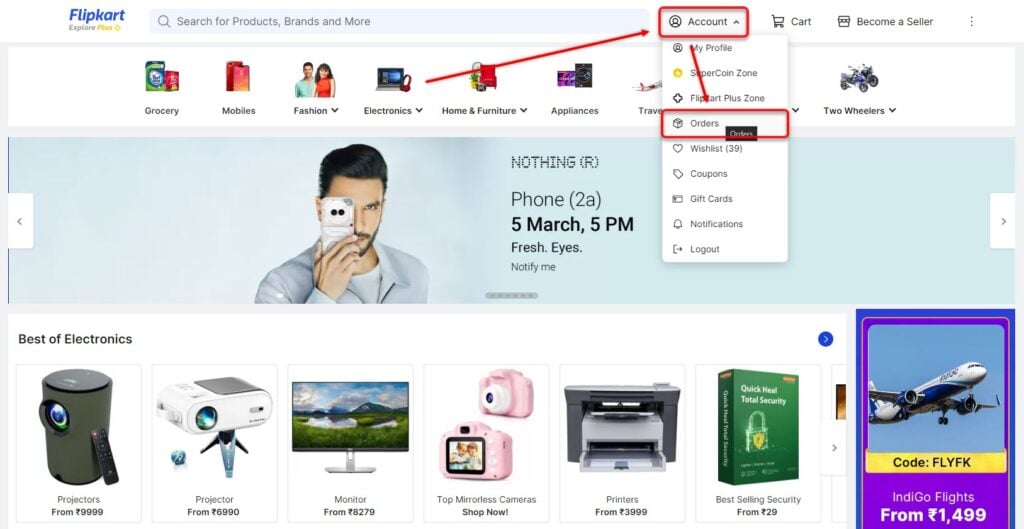
You can access the order history by heading to Account > Orders on the website and the Flipkart app.
However, there are times when you may have to delete the order history to maintain your privacy and security, and hence, you may have to look for other ways to do so. Read on to find a way to delete the order history on Flipkart.
Also read: How to download the invoice on Flipkart?
How to delete my order history on Flipkart?
Now that we have understood that Flipkart has no means to delete the order history, we will have to bypass this restriction somehow. In this section, we’ll explain how to do it. But remember, this may or may not work as intended.
Probably the easiest way to delete the order history on Flipkart is by requesting the company via the customer care representative.
On the website
Step 1: Open Flipkart and then head to Account > Orders.
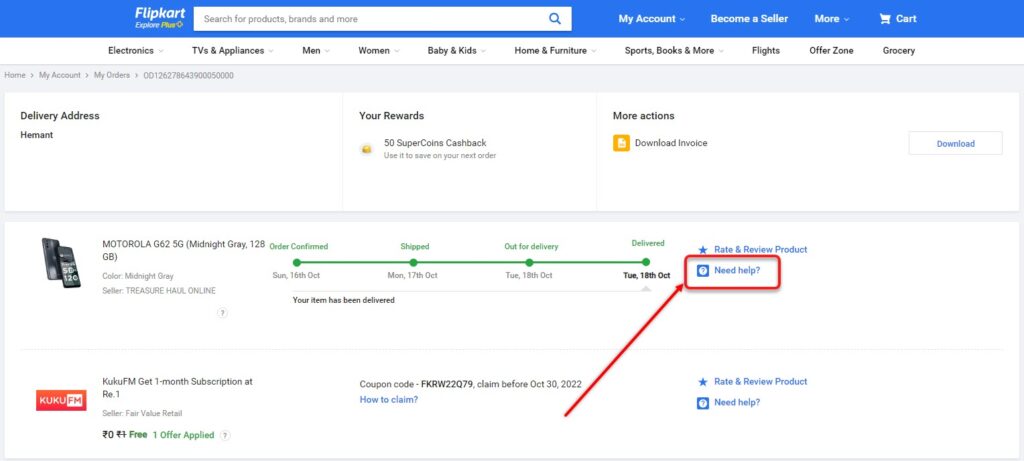
Step 2: Now, select the order that you want to delete and then click on Need help? to talk to the customer support representative.
On the app
On the Flipkart app, follow the instructions given below:
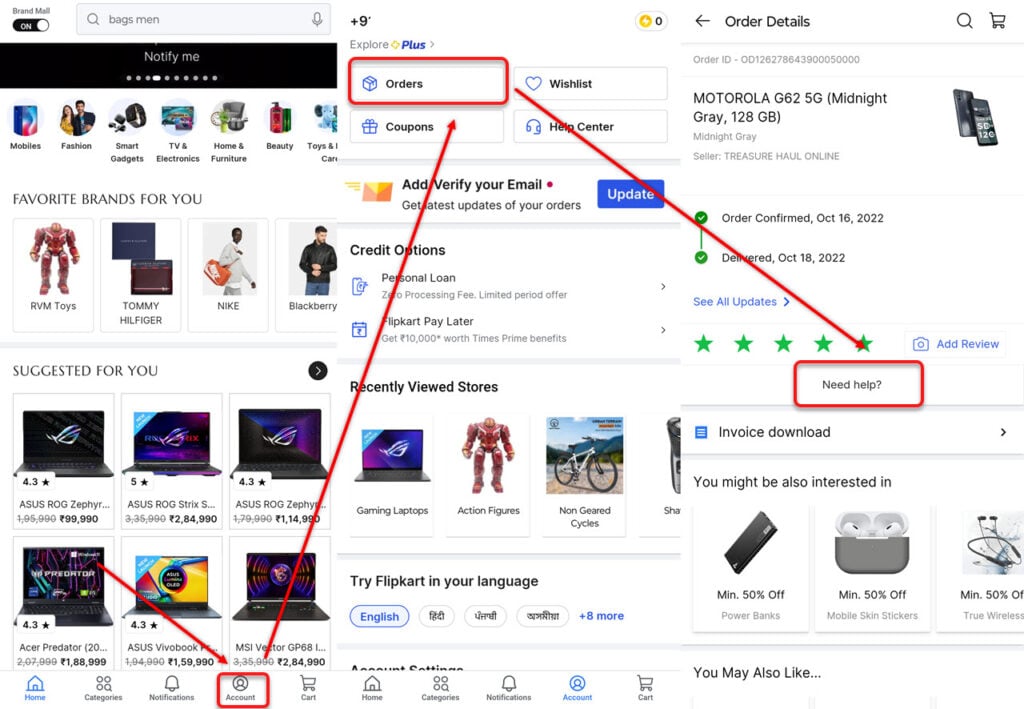
- Tap on the Account option at the bottom right.
- Now, select Orders and then select the order that you want to delete.
- Tap on Need help?
Explain in full detail your request and wait for the customer representative to respond and process your request. If the company feels that your request is valid, it may delete the product from your order history.
Normally, personal product order history gets deleted by the company. However, the order history for general products like electronics or accessories may not get deleted.
In conclusion, although Flipkart doesn’t allow customers to delete their order history, you can talk to the company’s customer care and explain to them why you want to do so.
Also read: How to use Flipkart Super Coin?




