Shopping online has become an integral part of modern life, with platforms like Amazon offering convenience and variety at our fingertips. However, sometimes our virtual shopping carts can become cluttered with items we no longer need or want. Fortunately, Amazon provides easy steps to help users clear out their carts easily.
Amazon does not offer any single button or option to empty the whole cart. So you have to delete all the items one by one from your cart.
This guide will walk you through the simple process of emptying your Amazon cart on the Amazon website and on the Amazon mobile app.
Also read: How to find an influencer or brand’s Amazon storefront?
How to empty the cart on Amazon on PC?
If you use the Amazon website more than the app and want to empty the cart then follow the steps below to empty your Amazon cart:
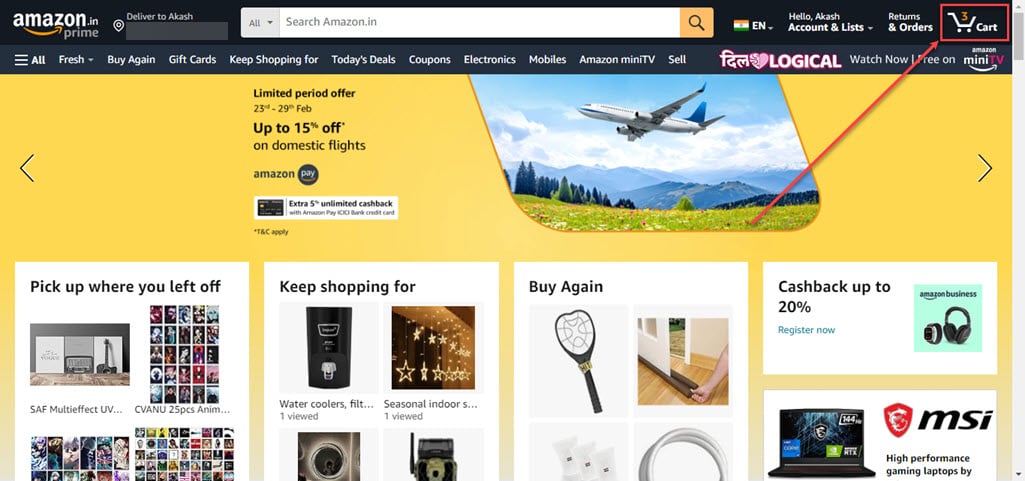
Step 1: Open the Amazon website, sign in to your account and click on the Cart icon at the top right corner of the page.
Step 2: Now, click on the Delete option beside the Quantity option of the item that you want to remove. Repeat the steps for all the items that you want to remove, eventually emptying the cart.

How to empty the cart on Amazon mobile app?
Amazon mobile app offers the same process for emptying the cart. If you are an Amazon user who prefers to use the Amazon app more than the website and you wish to empty your Amazon cart, follow the steps below to learn how to do it:
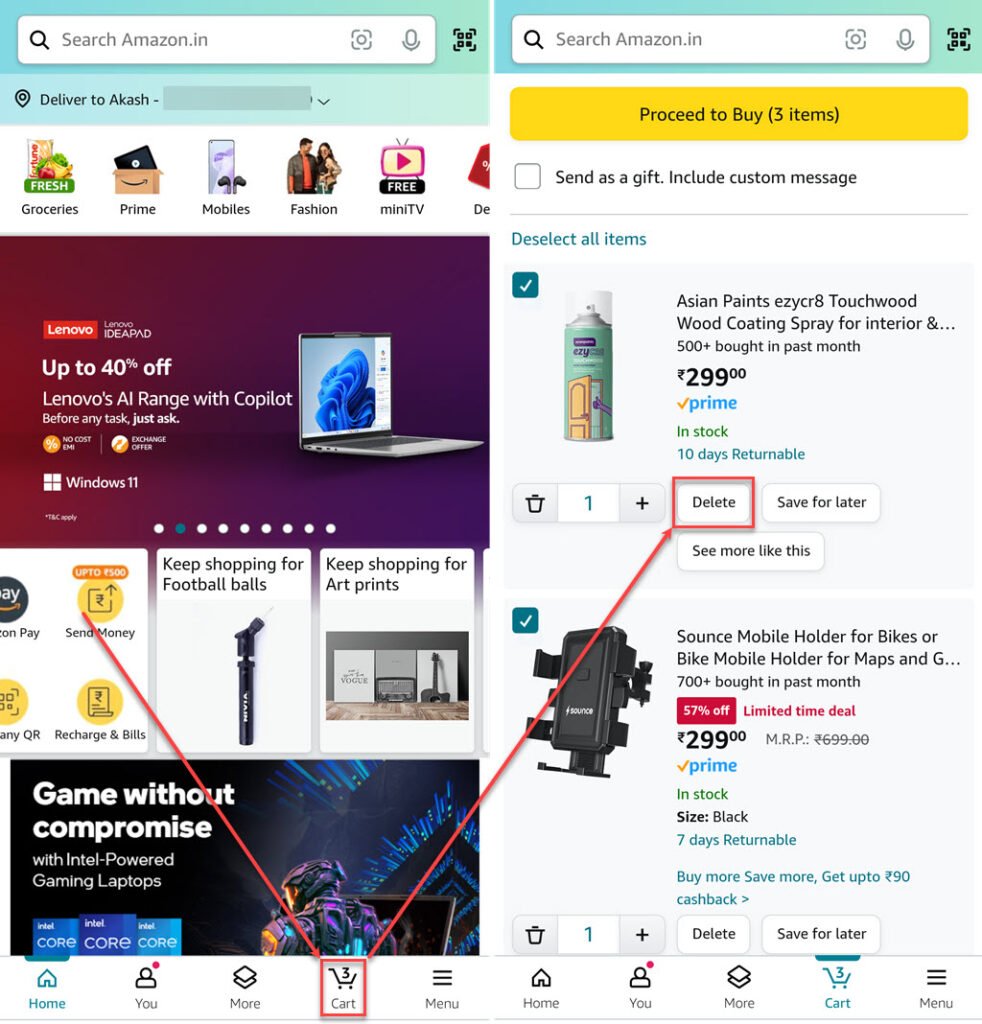
- Open the Amazon app on your phone and tap on the Cart tab available at the bottom of the screen.
- Now, tap on the Delete button beside the item you want to remove from the cart. Do the same for all the items in your cart to empty your Amazon cart.
Also read: How to hide Amazon orders?