Snapchat is a popular media-sharing app; it has added a fantastic feature called Snap Remix. It’s a bit like TikTok’s Duet feature. With Snap Remix, you can respond to your friend’s posts or make cool remixes using your Snap memories.
If you want to know how to remix a Snap, this article discusses the steps to Remix a Snap from your friends and your Snap memories.
Also read: How to replay a Snap?
How to remix Snap stories?
To remix your friend’s story, follow the steps below:
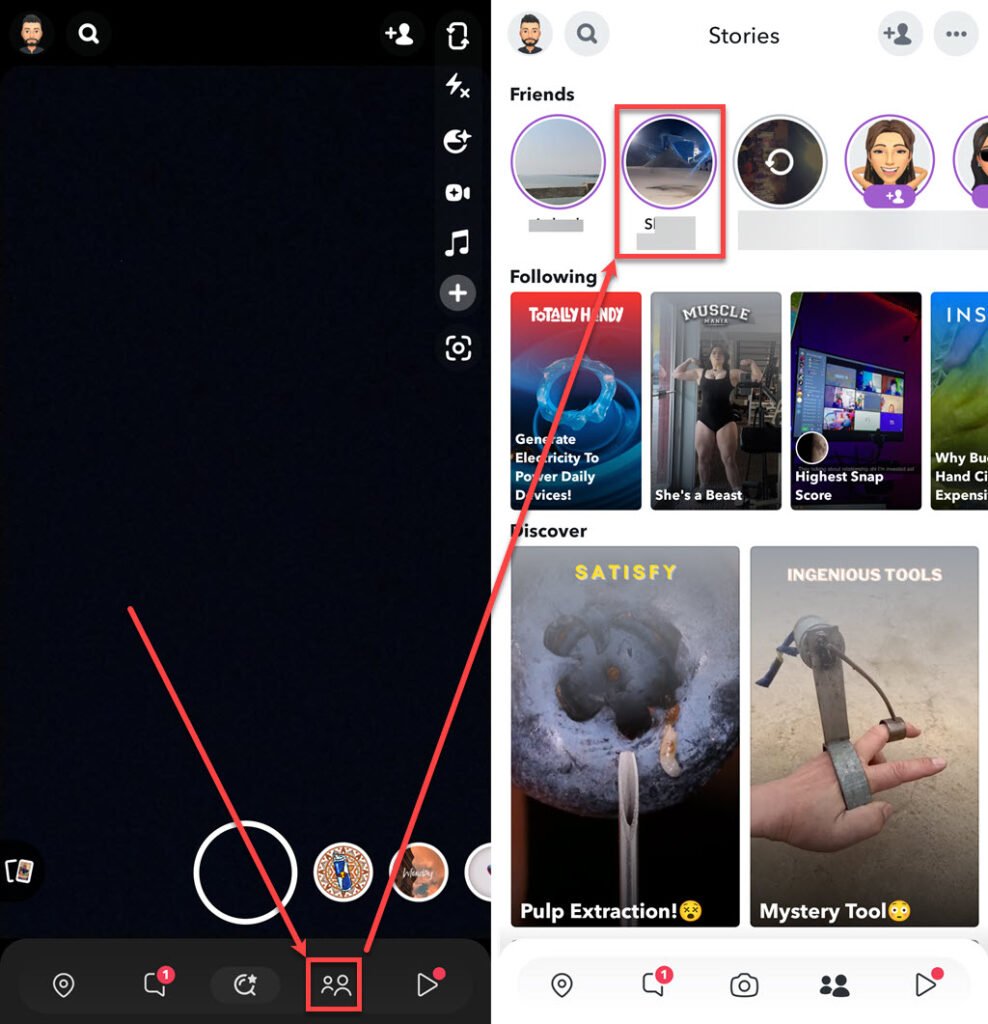
- Open the Snapchat on your phone and tap on the Stories tab.
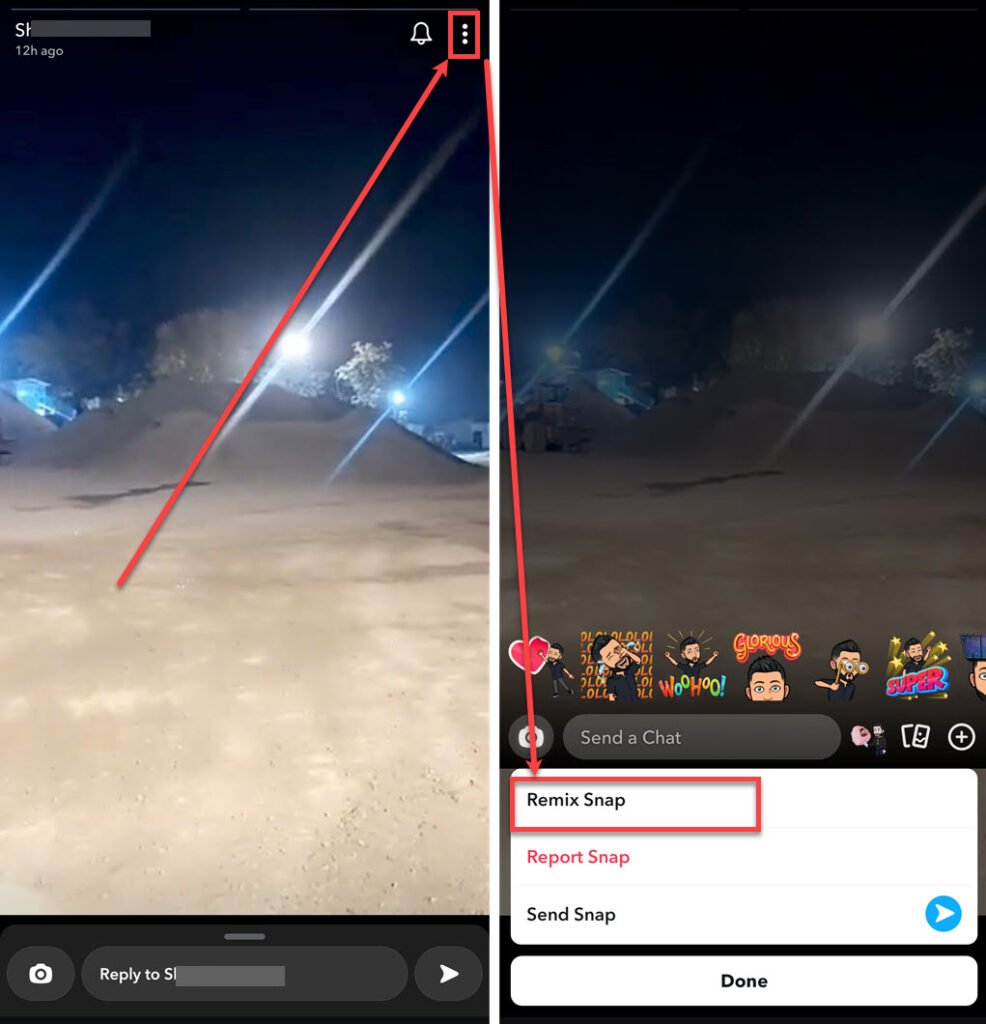
- Tap on your friend’s story that you want to remix.
- Tap on the Triple vertical dots icon.
- In the menu at the bottom, tap the Remix Snap option.
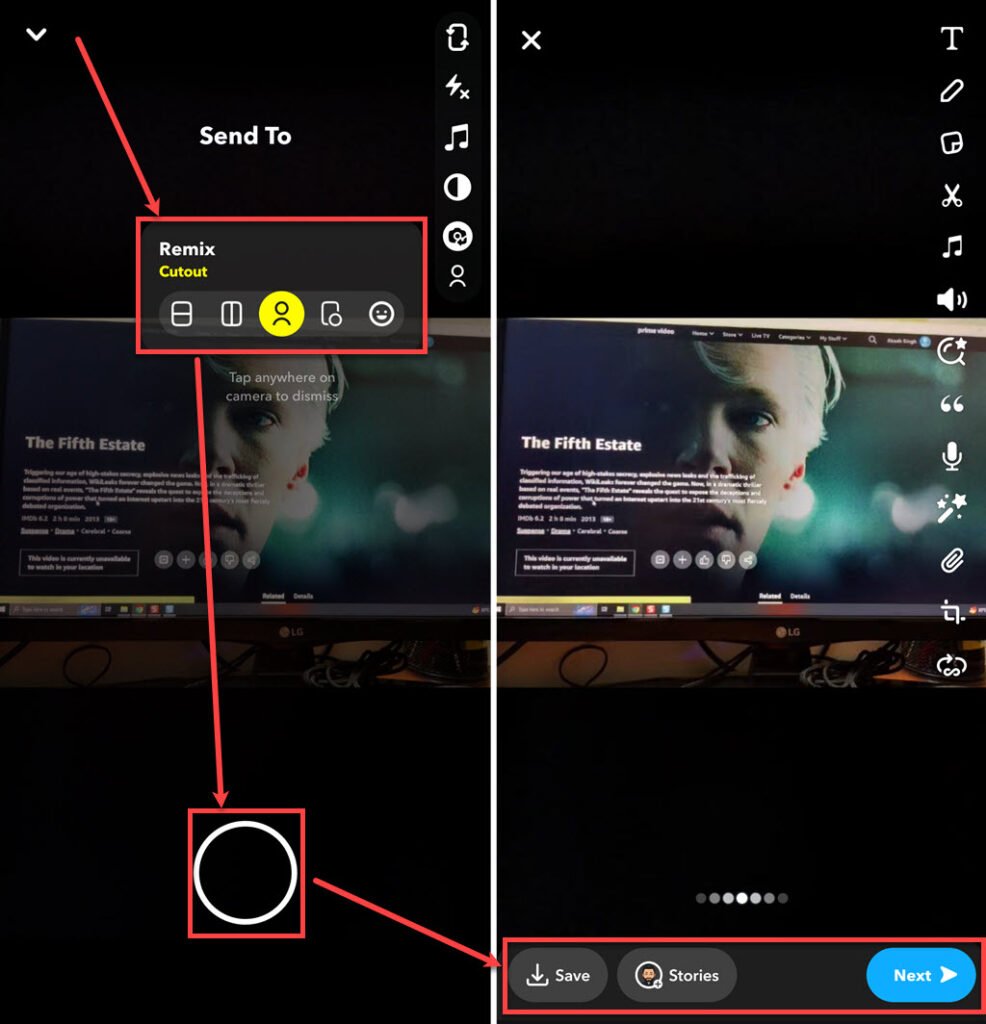
- There are various layouts available to remix your snap; select one and then press the Record button to record the snap. After you are done, release it.
- Smiley face: It’ll put your eyes and mouth on your Snap.
- Rectangle with a horizontal line: Your Snap takes the top half, and your camera is on the bottom.
- Rectangle with a vertical line: Your Snap goes on the right, and your camera is on the left.
- Rectangle with a circle: Your Snap pops up in a different window on your camera screen, like FaceTime.
- Person icon: Turn your Snap into a green screen with you in the foreground.
- You have more options to edit the remix snap you created on the right side of the screen; edit it if you want to. After you are done, tap on the Send button available at the bottom right corner of the screen.

How do you remix Snap from Memories?
When you’re using Remix Snap to respond to your friends’ stories, you must know that you can’t save the remixed snap. But don’t worry, if you want to keep and share your awesome remixed snaps, then follow the steps below:

- Open the Snapchat, and tap the Memories icon on the left of the Record button.
- In your Snapchat memory, tap on the snap you want to remix; you can also create a remix of pics and videos in your gallery.
- Tap on the Triple vertical dots icon.
- In the menu at the bottom, tap the Remix Snap option.

- Choose the remix type and tap on the Record button.
- Now, tap on the Save button to save the remixed snap, tap on the Stories button to add it to your story and tap on the Next button to send the remixed snap to your friends.
Also read: How to get rid of My AI on Snapchat?