2024 was a great year for gaming laptops, especially in the 14-inch space. We’ve seen tons of new thin and light gaming machines packed with a ton of power and the HP Omen Transcend 14 is one of the better-made laptops you’ll come across from the year. It’s HP’s first attempt at a 14-inch gaming laptop, and a pretty good one at that except for one catch.
Watch the HP Omen Transcend 14 review in English below, or continue reading the article.

Also read: 8BitDo Controller Review-Candid.Technology-thumb
Hardware Specs and Build Quality
The model we have here comes equipped with an Intel Ultra 7 155H, 16GB of LPDDR5X RAM running at 7,400 MT/s which is blazing fast and hence soldered onto the motherboard so no RAM upgrades. There’s an RTX 4060 GPU with a beautiful 2.8K, 16:10 OLED display with HDR support.
Since this is a Core Ultra laptop, there’s also an onboard NPU but other than a few camera features it’s basically useless. The laptop weighs in around 1.6 KGs and around 2 KGs without and with the included power brick.
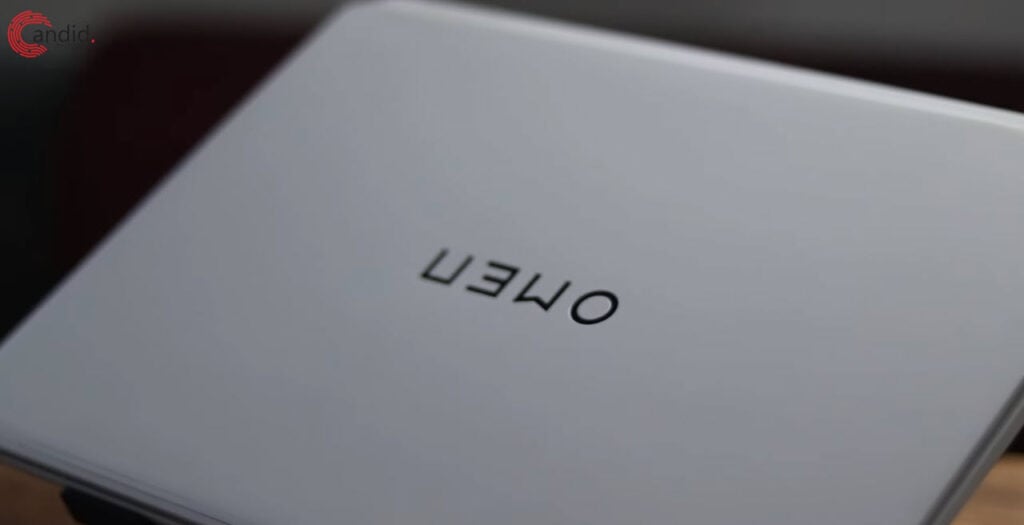
You can spec this thing with up to a Core Ultra 9, 32GB of RAM, and an RTX 4070 but at that configuration, you aren’t necessarily getting the most for your money. You’ll understand why when we reach the performance section of this review. It’s also a USB-C charging-only laptop with a 140W charger included in the box. This is both a good and bad thing because it makes charging the laptop versatile, but also limits how much power it can use, and that’s this laptop’s biggest weakness.
The laptop’s made out of metal and has a rather sturdy build quality. The hinge also feels great, but flaps around a lot for some reason if you accidentally bump it, but all good otherwise. The keyboard deck is pretty spacious with a very big trackpad, you love to see it and the keyboard is one of the best I’ve ever used on a laptop.
The back of the laptop is all vents to power HP’s cooling system which they claim makes it the coolest 14-inch gaming laptop, more on that later. You also get a Type-C port for data transfer and charging and an HDMI port wired directly to the dedicated GPU for extra performance. The left side has a Thunderbolt 4 port with a 3.5mm headphone jack, and the right side has two USB-A ports.

It’s pretty good I/O for a 14-inch device but nothing to write home about as you’ll almost certainly need a dongle or USB-C dock for connecting memory cards or ethernet for network connectivity. You get WiFi 6E, or WiFi 7 depending on whether the option is available in your region. Bluetooth versions also vary between 5.2 and 5.3 but network connectivity options are strong regardless. There’s also an IR camera for Windows Hello face detection.
This configuration cost us around ₹1,50,000 or almost $1700, but you can go much higher on HP’s website if you deck the laptop out fully. This is also a machine acquired by us and not a review sample from HP
Display, Camera, and Speakers
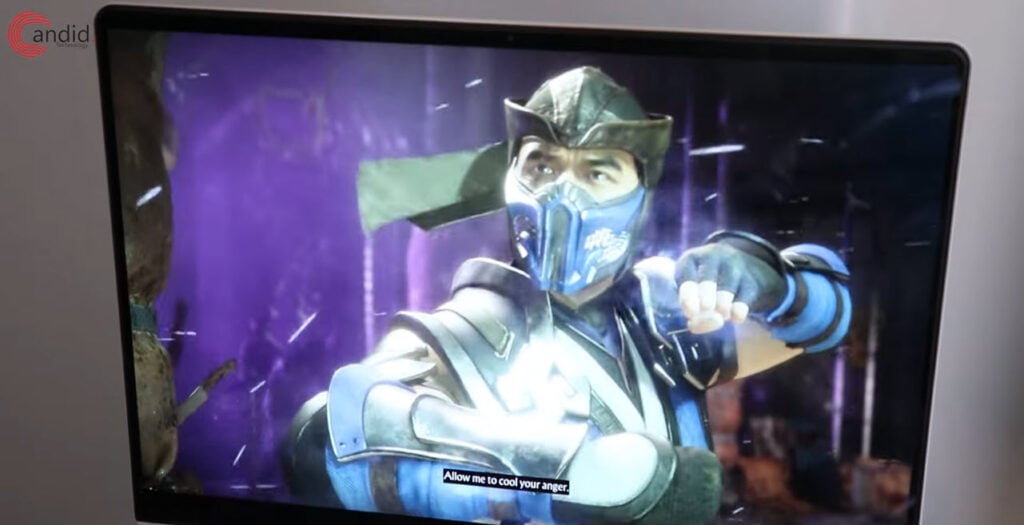
The laptop comes with a 14-inch 2880 by 1800 display that goes up to 120Hz. It’s also a variable refresh rate panel meaning it can automatically switch to 60Hz when on battery to save power. You also get 10-bit HDR support and there’s no matt finish on the display which makes viewing it outdoors a little difficult but it does get pretty bright at around 600 nits.
I don’t have any complaints about the display. The colours are accurate, the viewing angles are good, there’s almost no response time courtesy of the OLED panel and everything from games, movies, and even regular web browsing looks great.
And since you also get an NPU in the laptop, there are a few camera features like auto framing, much like Apple’s Center Stage, artificial eye contact, and background removal, so you can play around with those. Although a lot of these features are also available on just regular video conferencing apps so it’s confusing to have them built in as well but if you want them, they’re here.
The speakers are also pretty good. They’re down-firing and not quite MacBook level, but they’re great otherwise with more bass and clarity than I expected. One downside though is that they vibrate the entire laptop when you’re playing at full volume but they do get reasonably loud.
Keyboard and Trackpad
As I mentioned before, this is one of the best keyboards I’ve used on a laptop. The key travel is surprisingly deep and they feel consistent throughout the keyboard. They also have a rather strong bounce so you’ll enjoy typing and gaming on them for the most part.
The keyboard styling is the most polarising thing here. You’re either going to love it or hate it, there’s no in-between. It looks great to me on the white version, but your opinion might vary. It’s a 4-zone RGB keyboard and the backlight gets very bright, especially if you’re in a dark room.
I’d have liked it if HP gave more options for backlight brightness. The hardware brightness key on the keyboard switches between 100%, 50%, and zero brightness and sometimes even 50% brightness can be too bright depending on what colour you’re using. There’s also a per-key RGB version, but it’ll run you almost $70 extra, that is, if you can even get it.
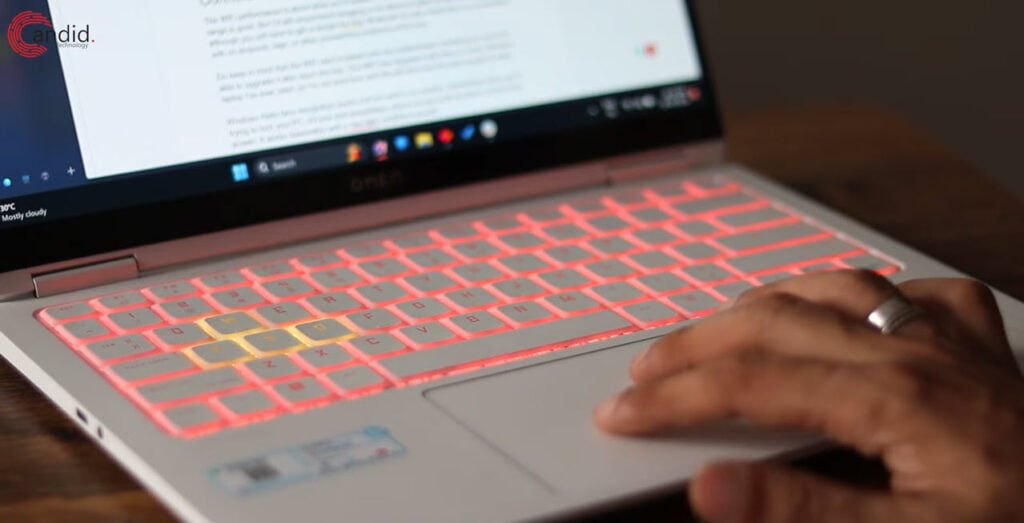
The trackpad is also a joy to use. It doesn’t have any fancy haptic feedback or anything, but it’s got a rather satisfying click, has a pretty big surface area, and all gestures work just fine. It has this matt feeling texture which isn’t glass but doesn’t quite feel like plastic. You’d still want a mouse though.
One quick thing to note here is the HyperX integration in the laptop. The keyboard is from HyperX and the Transcend 14 comes with a HyperX receiver built in, meaning you can pair your 2.4GHz HyperX headphones without having to use a dongle. I’m not sure how well it works, given HyperX doesn’t really sell wireless headphones here and the headphone bundle isn’t available for purchase in India. They also make it sound like this should work with just any HyperX device that communicates over 2.4GHz wireless, but I’m not sure whether that’s going to work either.
Connectivity and Windows Hello
The WiFi performance is about what you’d expect. The connection is pretty stable and the range is good. But I’d still recommend plugging in an ethernet cable for the best ping, although you will have to get a dongle for that. Bluetooth 5.2 also works fine on my machine, with no dropouts, lags, or other connectivity problems at the time.
Do keep in mind that the WiFi card is baked onto the motherboard, meaning you won’t be able to upgrade it later down the line. The WiFi has degraded with time on every Windows laptop I’ve ever used, so I’m not sure how well this will fare over the next couple of years.
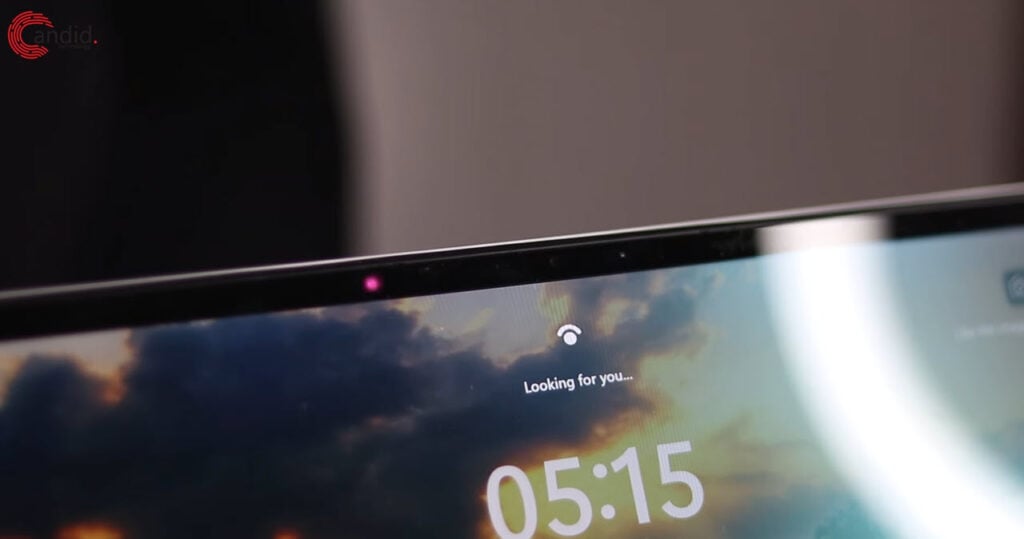
Windows Hello face recognition works a bit too well in my opinion. Sometimes when you’re trying to lock your PC, it’ll lock and immediately unlock as you’d still be there in front of the screen. It works reasonably well in low-light conditions as well.
Also read: Review: Maono WM821 dual wireless microphone system
Performance and Cooling
Performance is where the Omen loses ground to other 14-inch laptops. HP has made a few weird decisions here which have cost the Transcend 14 dearly in terms of performance compared to other 14-inch laptops, especially the Zephyrus G14.
The problem here is the power budget. The laptop only has 140W to work with when plugged in and the RTX 4060 only gets 65 watts max. This means that the GPU isn’t going to perform at its best, considering it’s rated at 100W for optimal performance. So while the CPU performance is as you’d expect from a Core Ultra 7 155H, the GPU falls short which means you lose out as much as 10 to 30% performance in games compared to something like the Zephyrus G14 which costs more or less the same, while also being lighter.
Jarrod’s Tech has done an incredible job of testing the Transcend 14 against a bunch of other 14-inch and bigger devices for performance, so you can go check his video out for in-depth numbers. That’s not to say that this machine is slow by any means. But if you’re looking for the most performance in a 14-inch machine, this ain’t it chief. Part of why HP has lowered the RTX 4060 or 4070’s TGP to 65W is also to ensure the laptop runs cool.

In my testing, the cooling system here (which includes a vapour chamber btw) is more than capable of handling more heat, topping at around 75-80 degrees at the heaviest loads. This shows that the GPU should be good for another 10-15 watts without hurting the thermal performance a lot. There’s no way to increase the power budget either, except for a smart boost feature in HP’s Omen Hub.
Only 16GB of onboard RAM can feel on the lower side, but I didn’t see it impact day-to-day performance, especially considering how fast it is. I would’ve preferred to buy 32GB but HP didn’t have the spec I was looking for which is another problem. Depending on your budget, you might have to give up 32GB of RAM in your spec.
The Transcend 14 is still a good performing machine and you’ll get over 60FPS in just about every game you play, although you will have to sacrifice graphics quality and in some cases, resolution. Day-to-day tasks and even other heavy lifting like video editing will be great, so it’s also a great option for a mobile workstation.
Battery Life
Finally, the battery life on this laptop is great. You can turn the dedicated GPU off and only use the integrated GPU for maximum power savings, but in my testing, leaving the laptop in hybrid mode, and setting it to the Eco mode in HP’s Omen Hub with the screen brightness around 20 to 30% will comfortably get you around six hours of battery life.
I was able to extend this to around eight hours total when running on the integrated GPU mode, but the laptop requires a restart to switch between modes and that can be a hassle so I just left it in hybrid mode and changed other power settings like brightness and backlighting according to my needs instead.
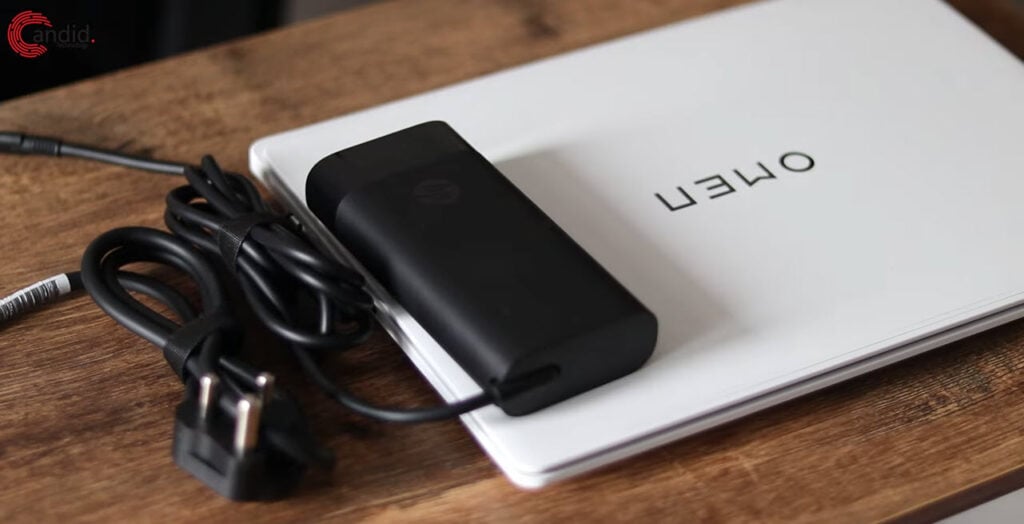
It also charges pretty quickly. There are two Type-C ports on the laptop, and both can be used for charging the device. Although only the Type-C port on the rear offers the full 140W charging the laptop supports, with the other port maxing out at 100W.
HP claims that the laptop can charge up to 60% in 30 minutes with the included Type-C charger. It comes pretty close, with 55% charge in 30 minutes from zero on my machine. Oh and if you want to use external chargers with the laptop, make sure you get one that’s at least 100W and over 20V, otherwise you may not be able to charge the laptop.
Cost and Availability
Pricing will vary greatly as HP offers a ton of specs for this laptop. You can choose between an Ultra 7 or Ultra 9 processor, an RTX 4050, 4060, or 4070 GPU, 16GB or 32GB of RAM, keyboard backlighting, and more.
Overall, the laptop can run you anywhere between $1,599 to $2,249. Once again, the actual pricing you get will vary greatly based on what specs are available in your region. You can check out HP’s official website to see how much of a hole it’ll burn in your pocket.
Should You Buy It?
If you don’t care about playing games on the highest possible setting, resolution, and FPS and instead want a laptop that runs surprisingly cool for a 14-inch, the Transcend 14 is the way to go. It also looks better than any other 14-inch gaming laptop in my opinion, especially in the white finish (which can also be a pain in the bottom to clean)
But if you’re looking for more performance for your money, in the same 14-inch factor, and are willing to deal with a slightly more common design, something like the Zephyrus G14 will serve you better. There are compromises with the Transcend 14 that you need to be aware of before buying the laptop. They aren’t necessarily a deal breaker, but they do keep the laptop restricted in terms of performance.
Also read: Keychron K2 V2 review: Best entry-level mechanical keyboard?