Facebook is one of the most popular and most used social media platforms. It has many features to engage its users. One feature that keeps users engaged is the birthday reminders. It helps them remember their friends’ birthdays and send good wishes. However, if you find these notifications overwhelming or want to customise them, you’re in the right place.
In this article, we have discussed how to enable and disable Facebook birthday notifications on both the Facebook mobile app and the desktop.
Also read: How to see who is stalking your Facebook profile?
Customise Facebook birthday notifications on the Facebook mobile app
If you use the Facebook app more often and want to customise the Facebook birthday notifications, follow the steps below.
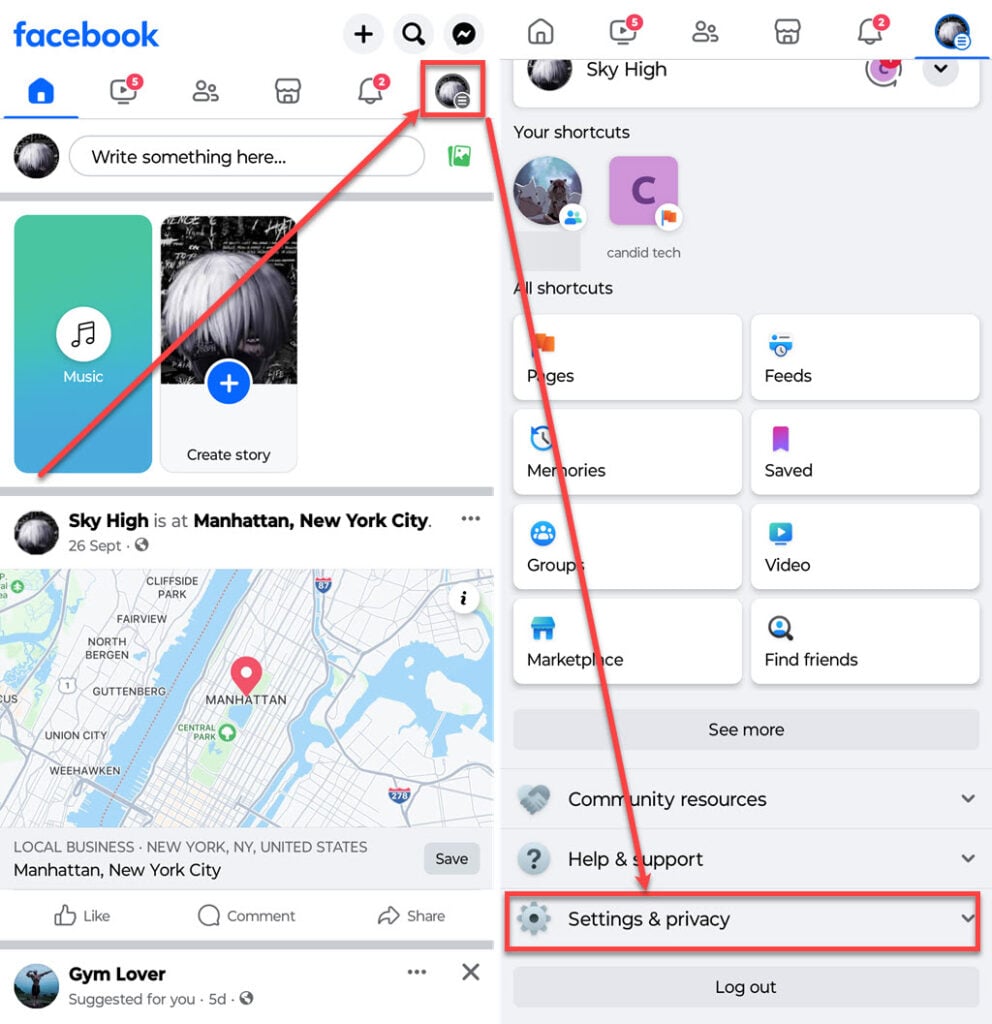
- Open the Facebook app on your phone and tap on the Profile icon at the top right corner of the screen.
- Scroll down and tap on the Settings & Privacy option to expand it.
- Tap on the Settings option.
- In the settings, tap the Notifications option under the Preferences section.

- Scroll down a bit and tap on Birthdays.
- On the next screen, you can disable or enable all the notifications or push, email or SMS notifications by turning the toggle off and on beside the settings you want to change.

Also read: When is The Boys season 4 coming out?
Customise Facebook birthday notifications on the Facebook desktop
If you use Facebook on your PC and wondering how to enable or disable birthday notifications, below we have explained the steps to customise the birthday notification on the Facebook website.
Step 1: Log in to your Facebook account on your PC and click on the Profile icon at the top right corner of the screen, and then in the menu, click on the Settings & privacy option.
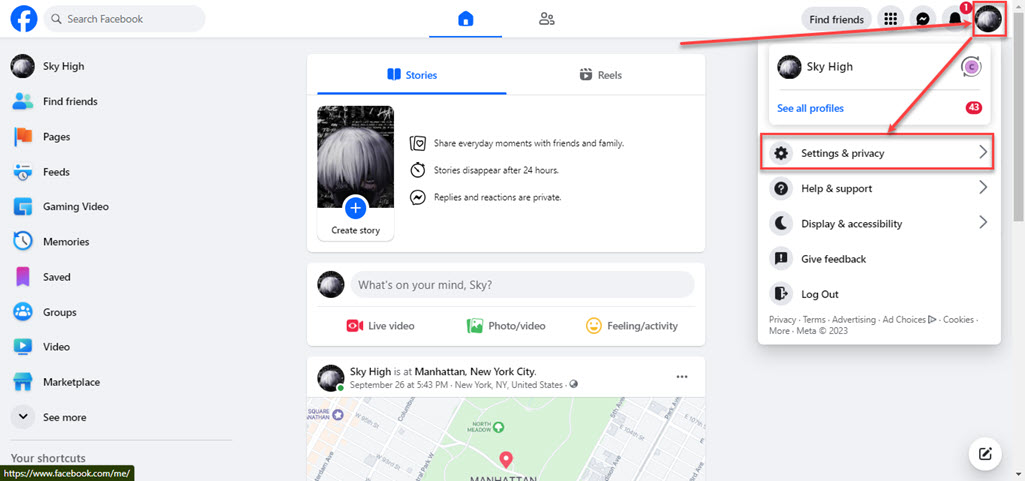
Step 2: In Settings & privacy, click on Settings options.

Step 3: In the sidebar, click on Notifications.

Step 4: On the notifications screen, scroll down a bit and click on Birthdays to expand the category.

Step 5: You can disable or enable all the notifications or push, email or SMS notifications by turning the toggle off and on beside the settings you want to change.

Also read: How to find saved reels on Facebook?