Airbnb connects travellers with unique global spaces, but navigating prices in various currencies can be confusing. Luckily, you can easily change Airbnb’s default currency to one you’re more familiar with.
Changing your display currency only affects how prices are shown on Airbnb. Your payment method and Airbnb’s policies might still determine the actual transaction currency.
This article discusses how to change the currency in the Airbnb mobile app and on the Airbnb website in a few simple and easy steps.
Below we have discussed:
Also read: How to change your Airbnb password?
Change currency in the Airbnb mobile app
If you are using the Airbnb app and wish to change the currency, follow the steps below:

- Open the Airbnb app on your phone and tap on the Profile tab at the bottom right corner of the screen.
- In the Settings section, tap on the Payments and payouts option.
- In the top right corner, you’ll see the Current displayed currency. Tap on it.
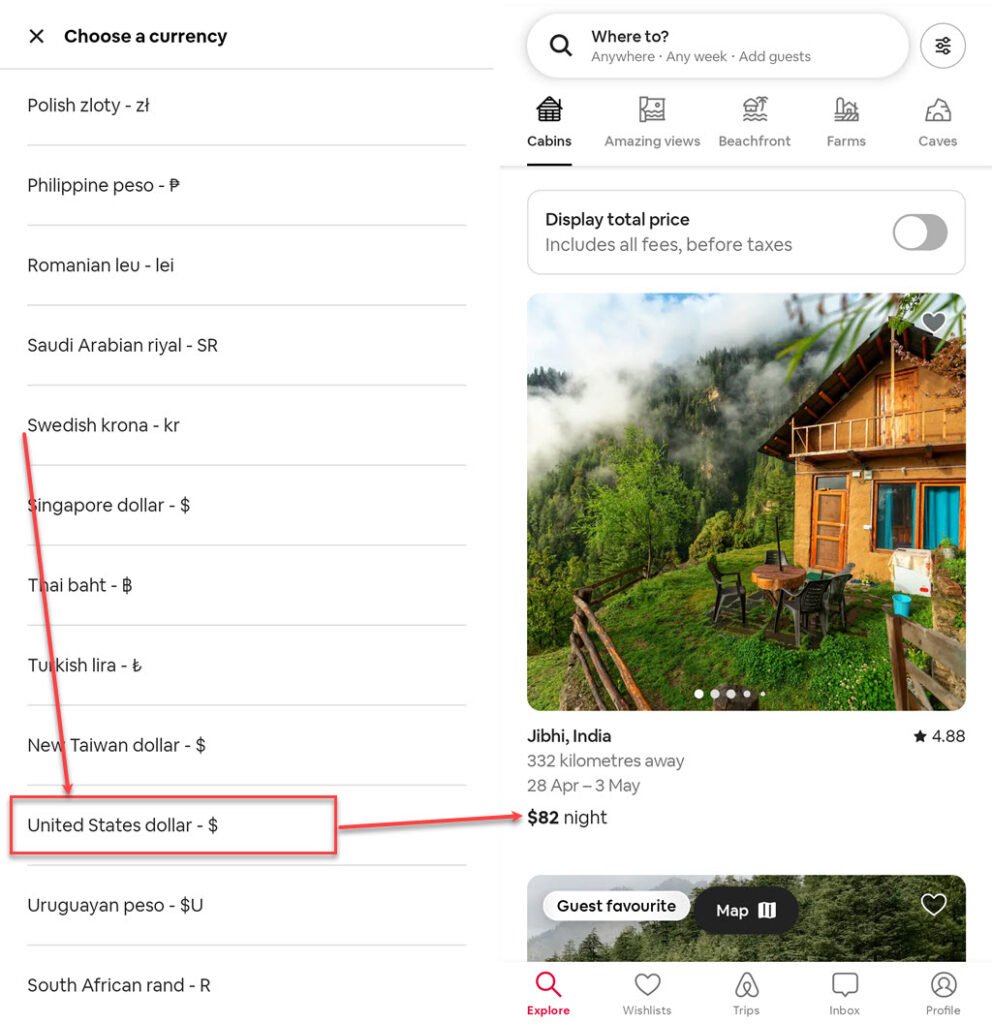
- A list of currencies will appear. Choose your preferred currency.
- The app will automatically update the displayed currency for all listings.
Change currency on the Airbnb website
To change the currency on the Airbnb website, follow the steps below:
Step 1: Open the Airbnb website and click on the currency displayed at the bottom right beside the language option.

Step 2: Choose the currency you want.

Another way to change currency on the Airbnb website
If you don’t see the currency option at the bottom on the Airbnb website, then you can follow these steps to change the currency:
Step 1: Open the Airbnb website and click on the Globe icon beside the Profile icon at the top right corner.

Step 2: Click on the Currency tab and choose the currency you want.

Step 3: The displayed currency will be changed.

Additional tips
- While you can’t change the payout currency for existing payout methods, you can add a new one in your preferred currency.
- Please remember that currency exchange rates can vary, meaning that the amount you ultimately pay could be slightly different from what you initially see on Airbnb due to currency conversions.
Also read: When does Airbnb charge you?