If you’ve ever found your Mac flooded with annoying ads or mysteriously redirected to unfamiliar websites, you might be dealing with InitialProgramHelper, InitialProgram, or InitialProgramfld adware. This annoying software sneaks into your system, disrupts your browsing, and slows down your Mac.
This article discusses what InitialProgramHelper is, the signs of InitialProgramHelper and how to remove it from Mac.
Below we have discussed:
Also read: How to sync messages from iPhone to Mac?
What is InitialProgramHelper?
InitialProgramHelper is an untrusted software that falls under the category of adware, with some traits of a browser hijacker. Once it gets into your system, it floods with annoying ads and changes your browser settings to promote bogus search engines.
Because of its shady tactics, InitialProgramHelper is considered unwanted software. Moreover, like most software, it probably monitors your browsing habits. InitialProgramHelper often spreads through fake updates for Adobe Flash Player. These fake updates bring in unwanted apps and dangerous viruses like Trojans, ransomware, and other malware.
Signs of InitialProgramHelper infection
Identifying signs of InitialProgramHelper infection is crucial for quick detection and removal. Common indicators of InitialProgramHelper adware presence on a Mac include:
- Excessive advertisements: Suddenly, you see tons of annoying ads, pop-ups, and banners everywhere on your web browsers, even on sites that don’t usually have them.
- Browser redirects: When trying to visit normal web pages, you may be redirected to weird websites or search engines.
- Sluggish performance: Degradation in system performance, including slower internet browsing, increased loading times, and unresponsiveness of web browsers.
- Browser changes: Your browser settings, like your homepage, default search engine, or new tab settings, are different, but you didn’t change them.
- Suspicious extensions: Presence of unfamiliar browser extensions or plugins, particularly those with vague or misleading names.
Also read: What is TypicalProcessfld? How to remove it from Mac?
How does it get in your Mac?
InitialProgramHelper adware typically infiltrates Mac systems through deceptive methods, such as software bundling, misleading advertisements, or fake software updates. Users may unwittingly install InitialProgramHelper alongside legitimate software downloaded from untrustworthy sources or by clicking on dubious links masquerading as legitimate updates or offers. Also, if your software or operating system is outdated, InitialProgramHelper might find a way to gain access to Mac devices.
How to remove it?
If you suspect that your Mac has been infected with InitialProgramHelper adware or similar PUPs, taking prompt action to remove it is essential to restore normal functionality and safeguard your privacy.
Use Antivirus
Use trusted anti-malware or antivirus software made for macOS to scan your system for harmful programs, like InitialProgramHelper adware. These tools are built to find and eliminate adware, ensuring your Mac gets a thorough cleaning.
Close the suspicious programs
You can use the Activity monitor to locate and close any suspicious program. Here are the steps:
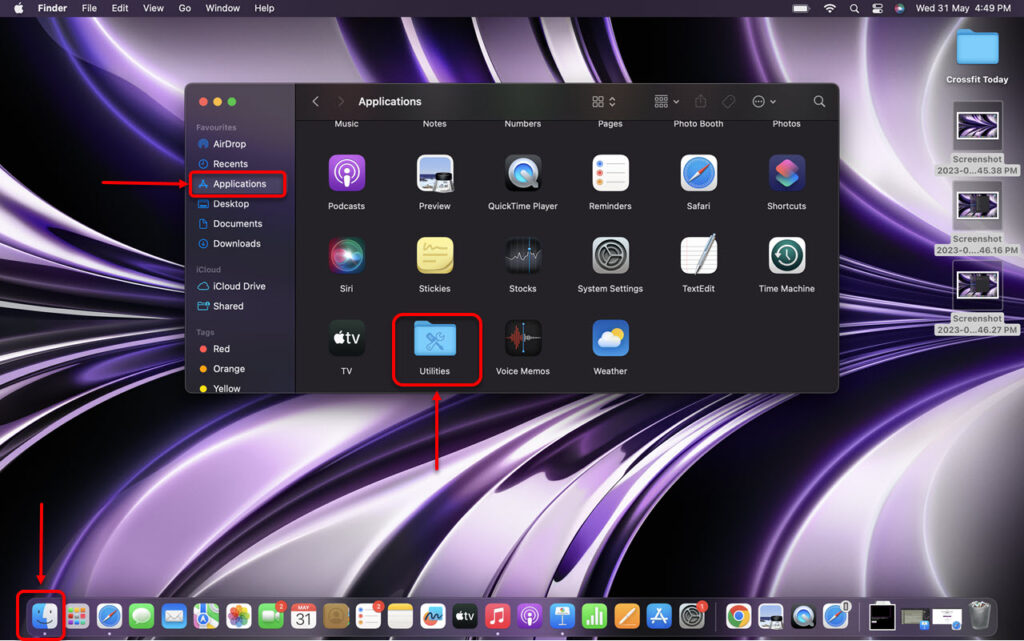
Step 1: Go to Finder, click on Applications and then click on Utilities.
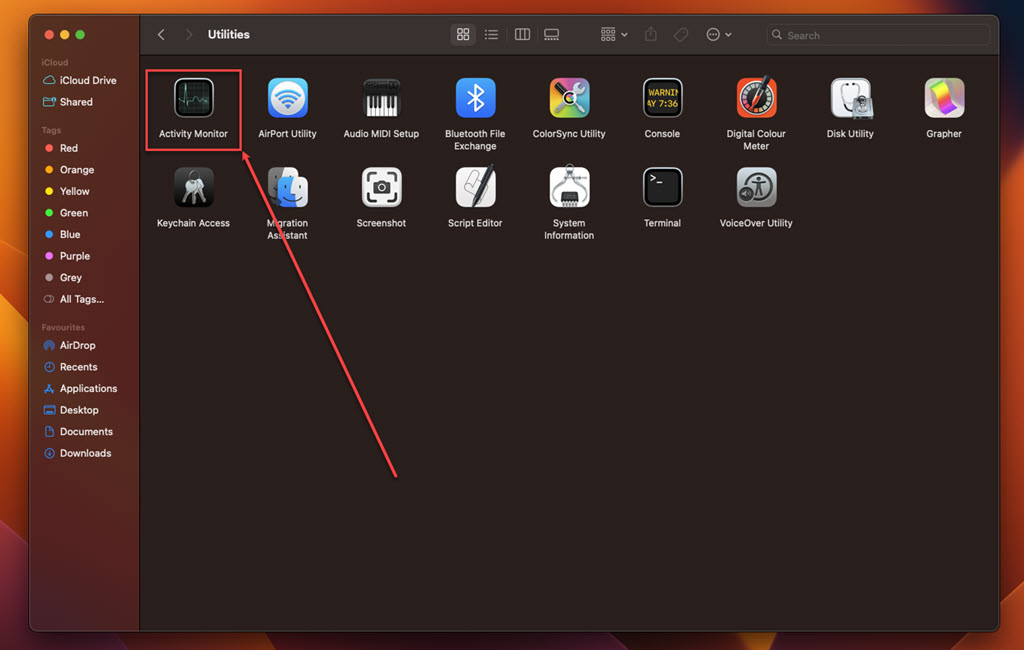
Step 2: In Utilities, run the Activity Monitor.
Step 3: In the Activity Monitor, click on the Memory tab.
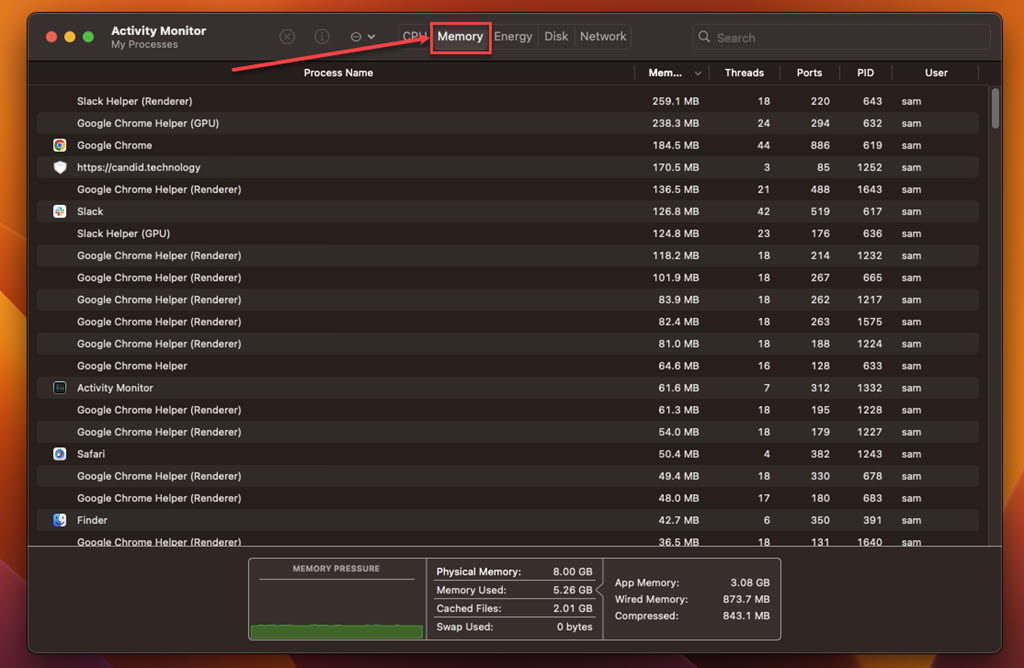
Step 4: Look for suspicious processes, select them, click on the Cross at the top and then click on the Force Quit.
Also read: What is OpticalUpdater.system? How to remove it from Mac?
Uninstall the suspicious apps
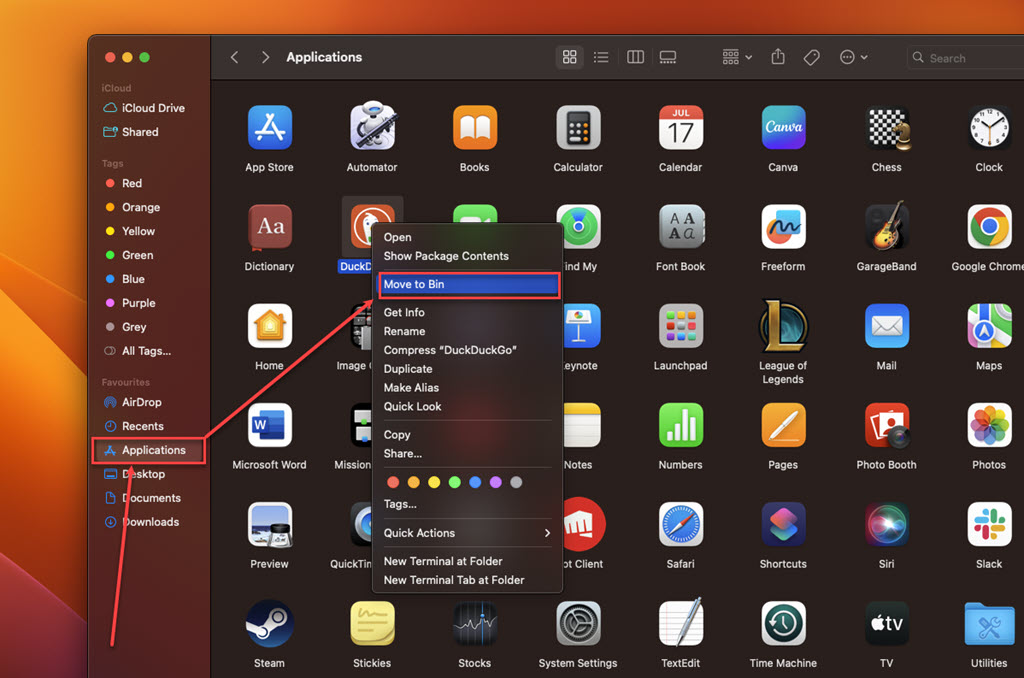
Review your list of installed applications and remove any unfamiliar or suspicious programs you do not recall installing. Here’s how to do it:
Step: Go to Finder, click on the Applications option in the sidebar, right-click on the suspicious app, and then click on the Move to Bin option in the dropdown menu.
Remove the suspicious browser extension
Launch each web browser installed on your Mac, and navigate to the browser’s extension or plugin settings. Remove any suspicious or unfamiliar extensions related to InitialProgram adware. Here are the steps:
Safari
Step 1: Open the Safari browser, click on Safari, and then, in the dropdown menu, click on the Settings option.
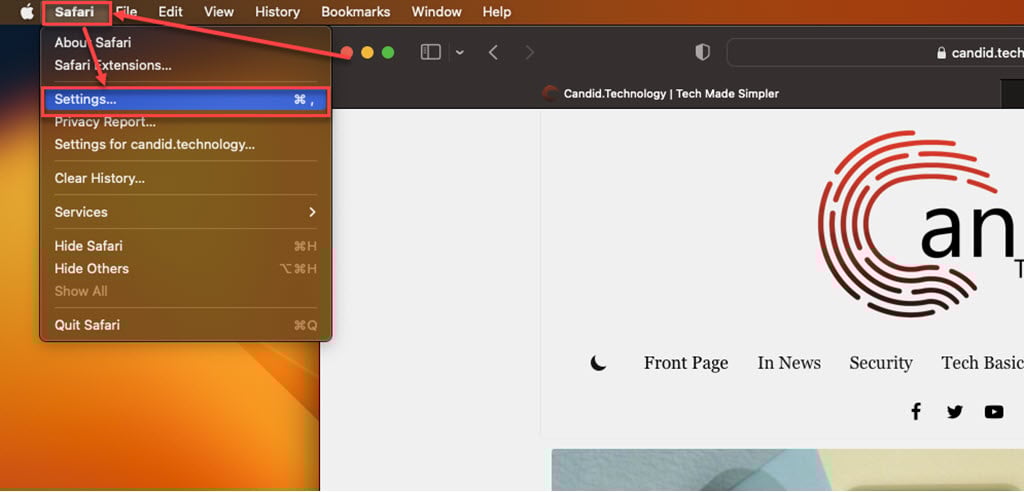
Step 2: Click the Extensions tab, select the Extension you want to remove, and then click Uninstall.

Chrome
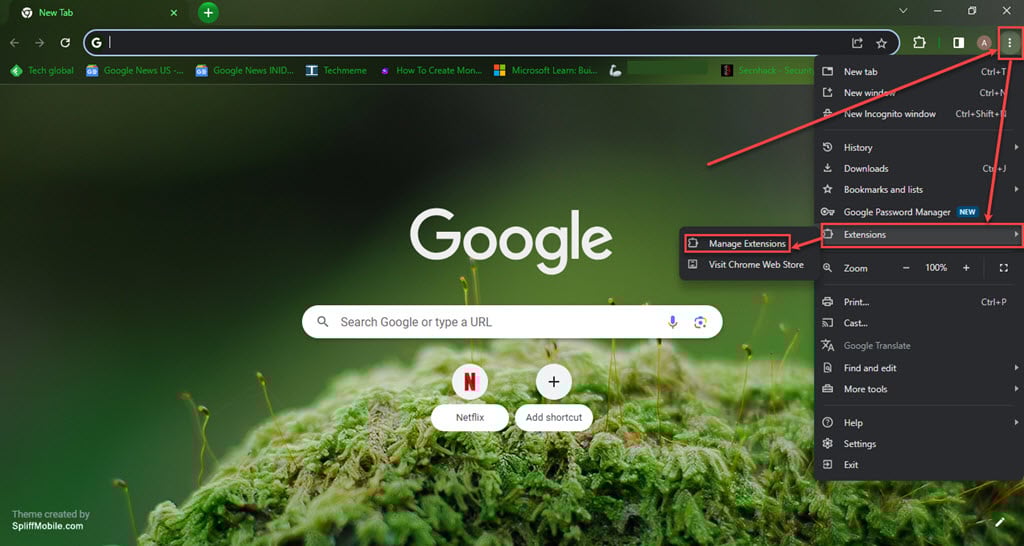
Step 1: Click on the Triple-dot menu. In the dropdown menu, hover over Extensions and then click Manage Extensions.
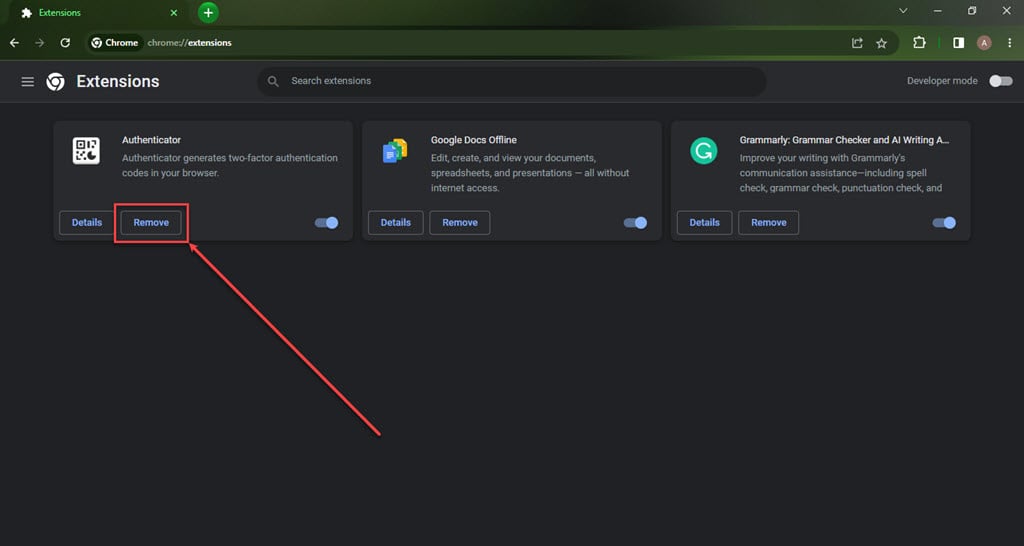
Step 2: Click the Remove button under the extension you want to remove in the Extensions.
Firefox
Step 1: Click on the Menu (triple horizontal bars) icon, and then in the dropdown menu, click on the Addons and themes option.

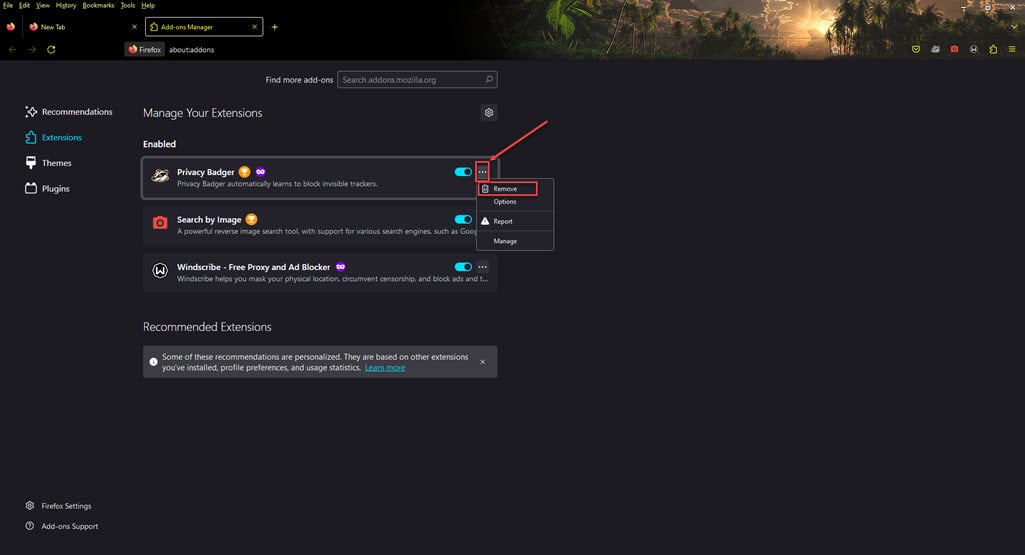
Step 2: Click on the triple horizontal dots icon beside the extension you want to remove, and then, in the dropdown menu, click Remove.