
Photo: Framesira / Shutterstock.com
Smartphones have become essential gadgets, and the iPhone is one of the most famous options. You’re not alone if you’ve noticed your iPhone’s battery life depleting rapidly. Many iPhone users have experienced this common frustration.
Several factors can contribute to your iPhone’s battery draining quickly, and this article discusses some of the most common reasons.
Common reasons for battery draining
Here are some common reasons that drain your iPhone battery quickly:
Background apps
Some can keep running in the background and use your iPhone’s battery when you’re not actively using apps. To fix this, close the apps you’re not using by double-clicking the home button or gestures on newer iPhones. Swipe away the apps you don’t need from the app switcher.
Push email and notifications
Push emails and app notifications are handy but can use your phone’s battery quickly. You can save battery by changing your notification settings to only get alerts for the most important messages or by turning off push emails completely.
Location services
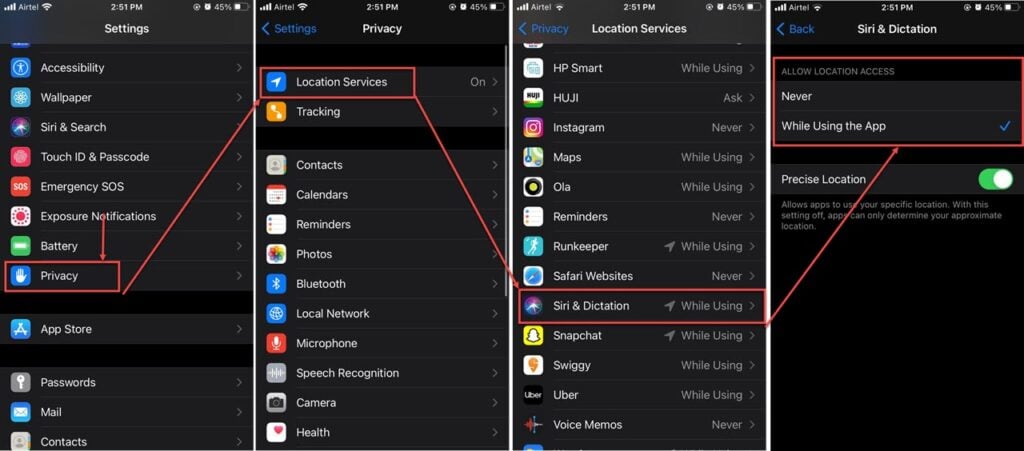
Your iPhone’s location services, like GPS, can use much battery power. You can make your battery last longer by checking which apps can use your location in the Settings app. You can limit their access or let them use your location only when using the app.
To change location settings for an app, go to Settings > Privacy > Location Services, choose the app for which you want to change the location settings and change its settings.
Also read: How do I reset my iPhone without losing everything?
Screen brightness
A bright screen is not only hard on your eyes but also on your battery. You can lower your screen’s brightness or turn on the Auto-Brightness feature to make your battery last longer.

System updates
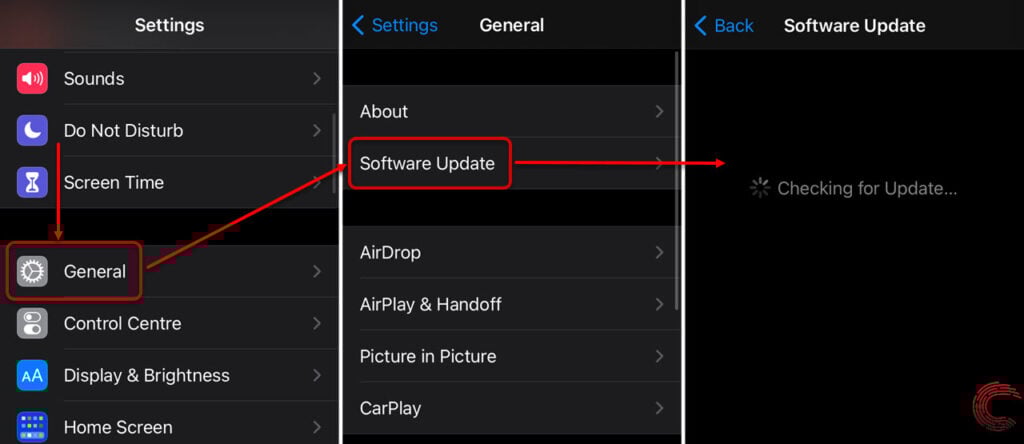
Keeping your iPhone’s operating system up to date is important for security and performance. However, some updates may make your battery drain faster. If you think an update is causing the issue, you can look for solutions online or wait for the next update.
To update your iPhone, go to Settings > General > Software Update.
Also read: Why does Instagram lower the picture quality?
Weak cell signal
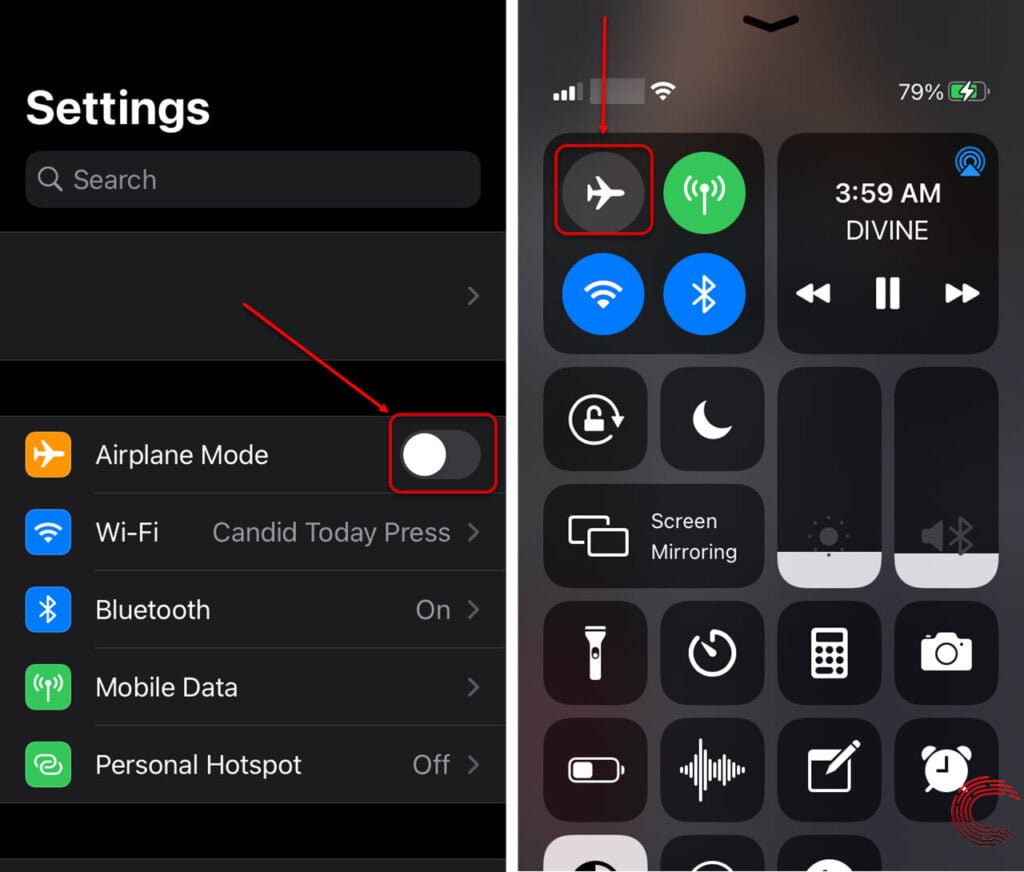
When your iPhone’s signal from the cell tower is weak, it works harder to keep connected, which uses more battery. It can drain your battery faster if you’re in an area with a weak signal or using a lot of mobile data. To save power, use WiFi when you can or put your phone in aeroplane mode. Aeroplane mode stops your phone from looking for a signal, which can help your battery last longer.
To enable aeroplane mode, scroll up from the home screen to access your control centre and then press the Aeroplane icon to enable Aeroplane mode.
Battery consuming apps
Some apps, like social media, video streaming, and games, use much power. Be careful with your time on these apps, and consider using less power-consuming alternatives.
Battery health
Over time, your iPhone’s battery gets weaker. You can check how healthy your battery is in the Battery section of the Settings app. If it’s not in good shape, you might need to have it replaced by Apple or an authorised service provider.

Also read: How to unsync Google Photos from iPhone?


