
Spotify is one of the most popular music streaming apps out there, with a rather expansive feature set and library consisting of songs, podcasts, and more. However, with more and more features being added to the mix, sometimes basic actions in the app get tucked away out of sight.
This article discusses how you can clear your Spotify queue, whether on a PC or using the smartphone app.
Also read: Why are Spotify Group sessions not working? Quick Fix
Clearing Spotify queues on PC
The Spotify PC and web apps function identically, so the steps for clearing the queue are the same. Here’s what you need to do.
Step 1: Open the Spotify app on your PC or in the browser and click the queue button.

Step 2: Click on a song and press the Delete key on your keyboard to remove it from the queue. If you want to remove multiple tracks, select them by holding down Ctrl and clicking the tracks, or select the entire queue by pressing Ctrl + A and then the Delete key to remove them from the queue.
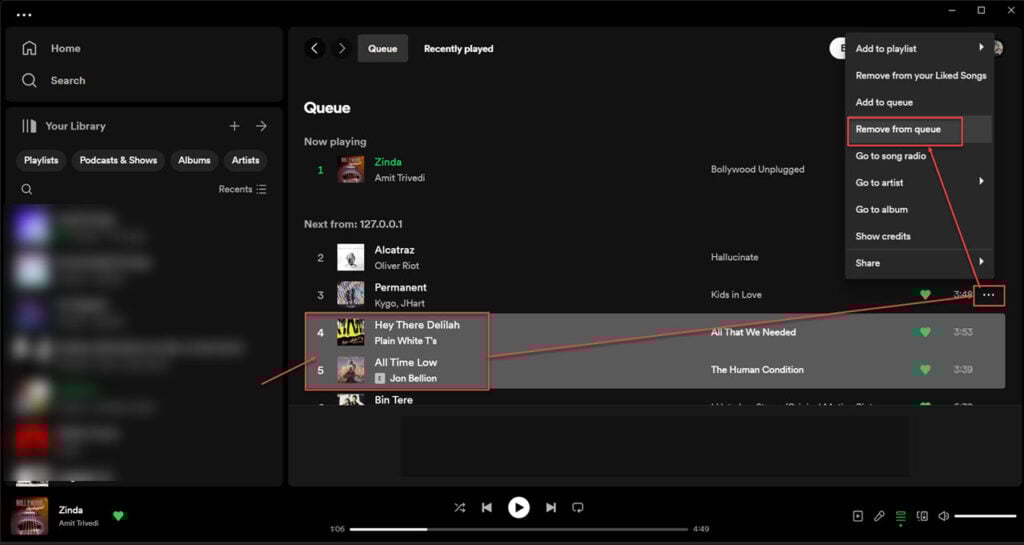
Alternatively, you can remove individual songs from the queue by selecting the song, clicking the three horizontal dots at the extreme right and selecting Remove from queue.
Also read: How to fix Netflix error tvq-rnd-100?
Clearing Spotify queue on the app
If you’re using Spotify on your phone, follow these steps to clear the queue.
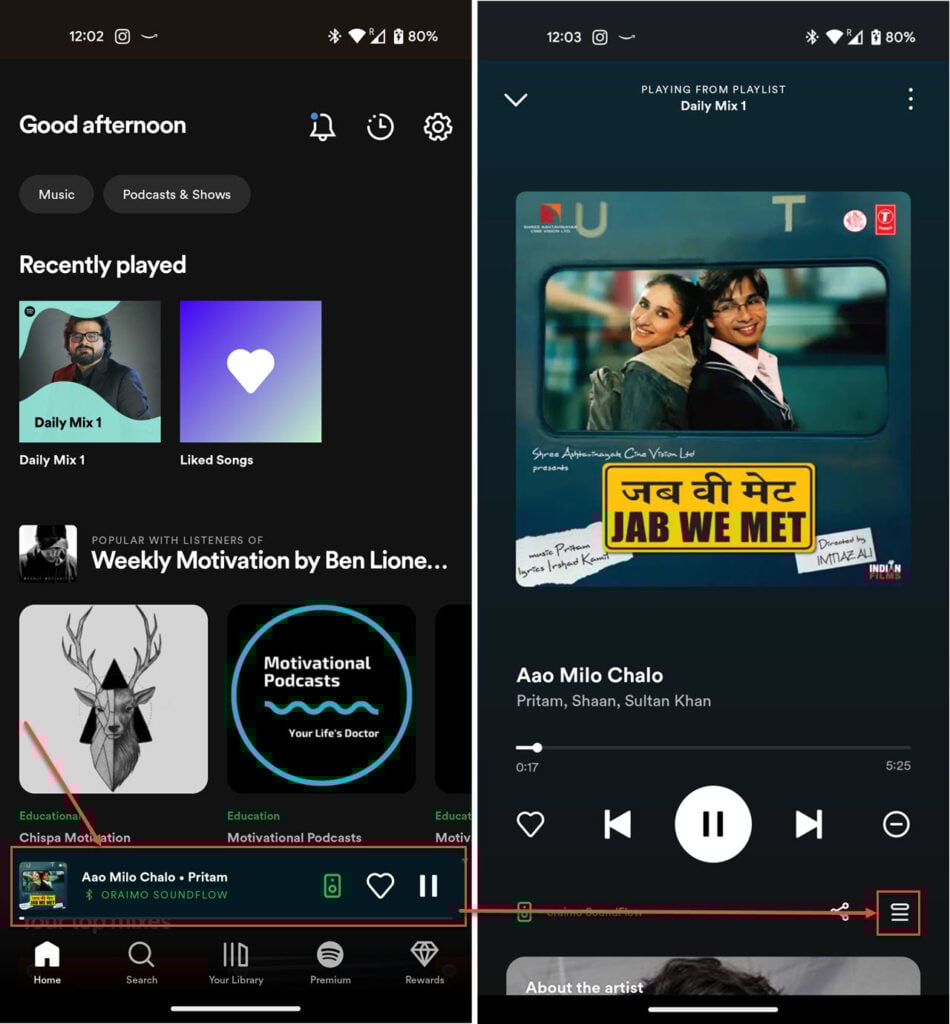
- Open the Spotify app and then the currently playing song in full screen.
- Tap the queue button to open the current music queue.
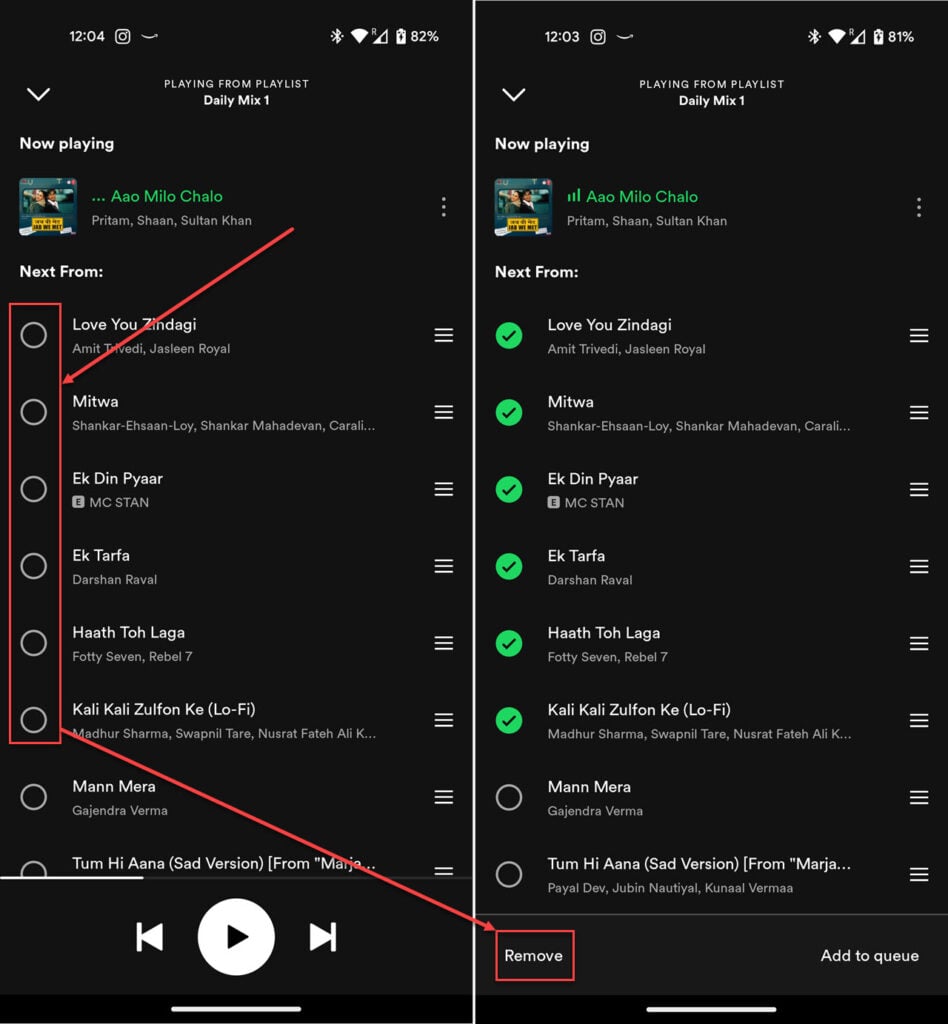
- Tap the songs you want to remove. If you want to clear the entire queue, you must manually select all the songs.
- Tap the Remove button to clear out the queue.





