
Many people are experiencing a peculiar problem – their WiFi keeps turning on. People have reported this problem on various devices such as smartphones, laptops, and other devices.
Fortunately, there are a few fixes that you can try to resolve this issue. In this article, we are here with these fixes.
WiFi keeps turning on: Android
In this section, we’ll talk about the WiFi keeps turning on issue on Android.
Check WiFi preferences
On your Android, you should check the WiFi preferences to control your WiFi turning on automatically issue.
Here’s how to do this:
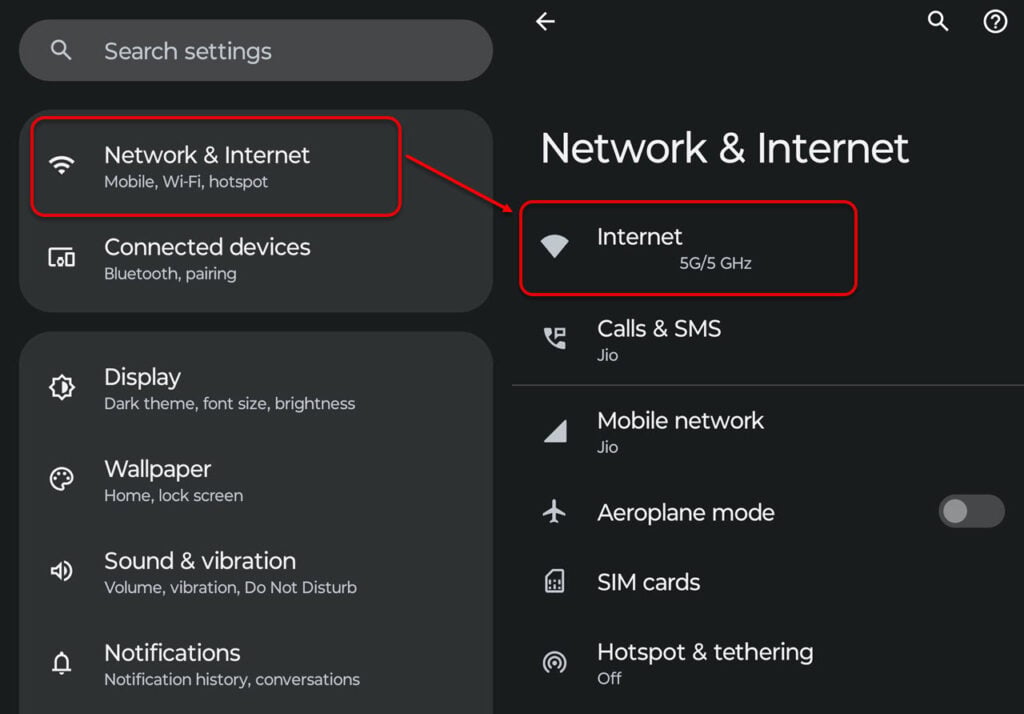
- Head to Settings > Network and internet.
- Next, tap on Internet.

- Navigate to Network preferences and then turn off the toggle in front of Turn on WiFi automatically.
Turn on Adaptive Connectivity
When you turn on the Adaptive Connectivity, the phone switches between the mobile data and WiFi depending on the WiFi network in your area.
To turn off Adaptive Connectivity, follow the instructions given below:
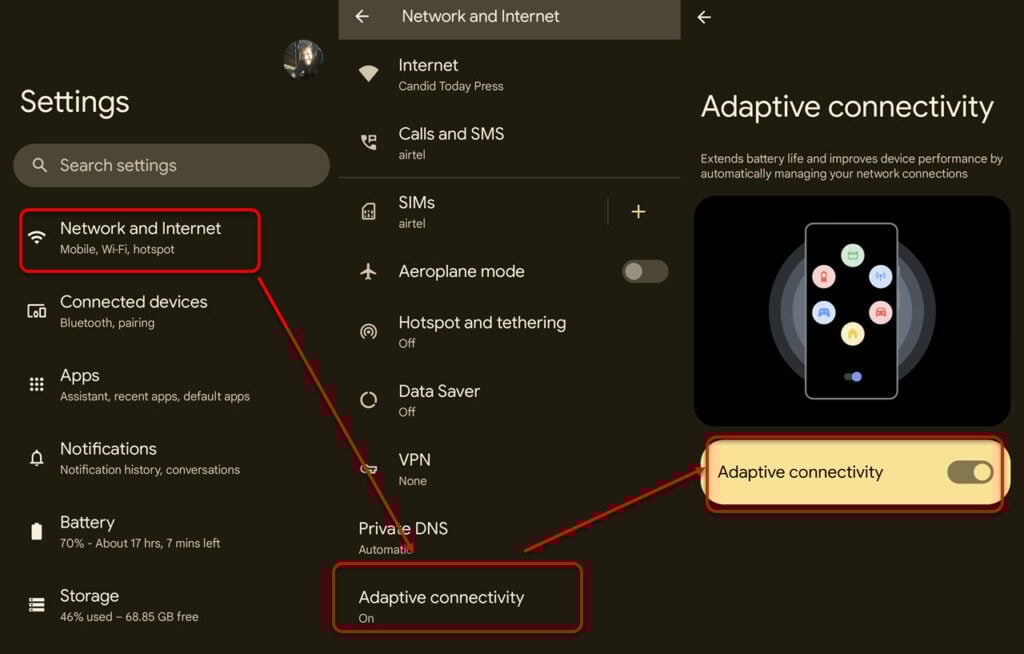
- Head to Settings > Network and internet.
- Now, tap on Adaptive Connectivity and turn off the toggle.

Also read: Is this number a scammer?
Turn off WiFi scanning in Location services
WiFi scanning allows your apps and services to automatically scan for WiFi networks in the area even when your WiFi is turned off. This is required for improved location services.

- Open Settings > Location.
- Tap on Location services.
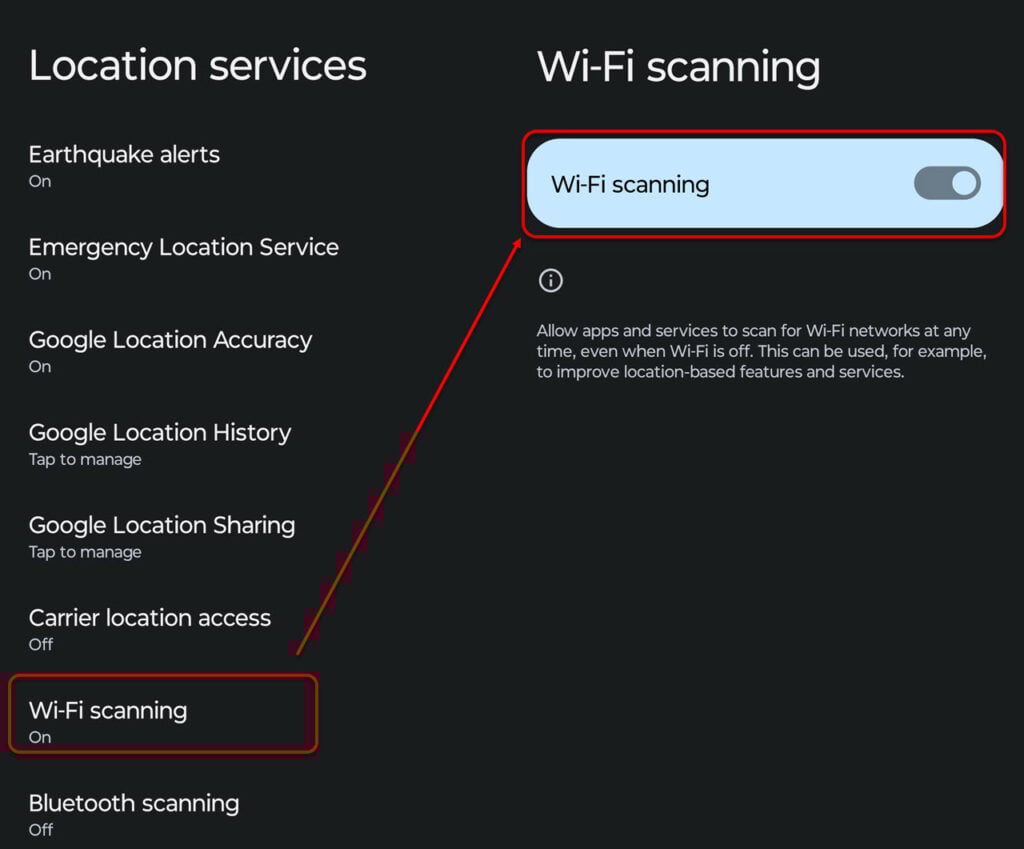
- Next, tap on WiFi scanning and turn off the toggle.
Turn off the WiFi app control
Your Android phone, by default, has WiFi control turned on. This service allows the apps to turn on and off the WiFi and other network services.
This is why it is better to turn off the WiFi control so the app doesn’t turn on WiFi by itself. Here’s how to do this:
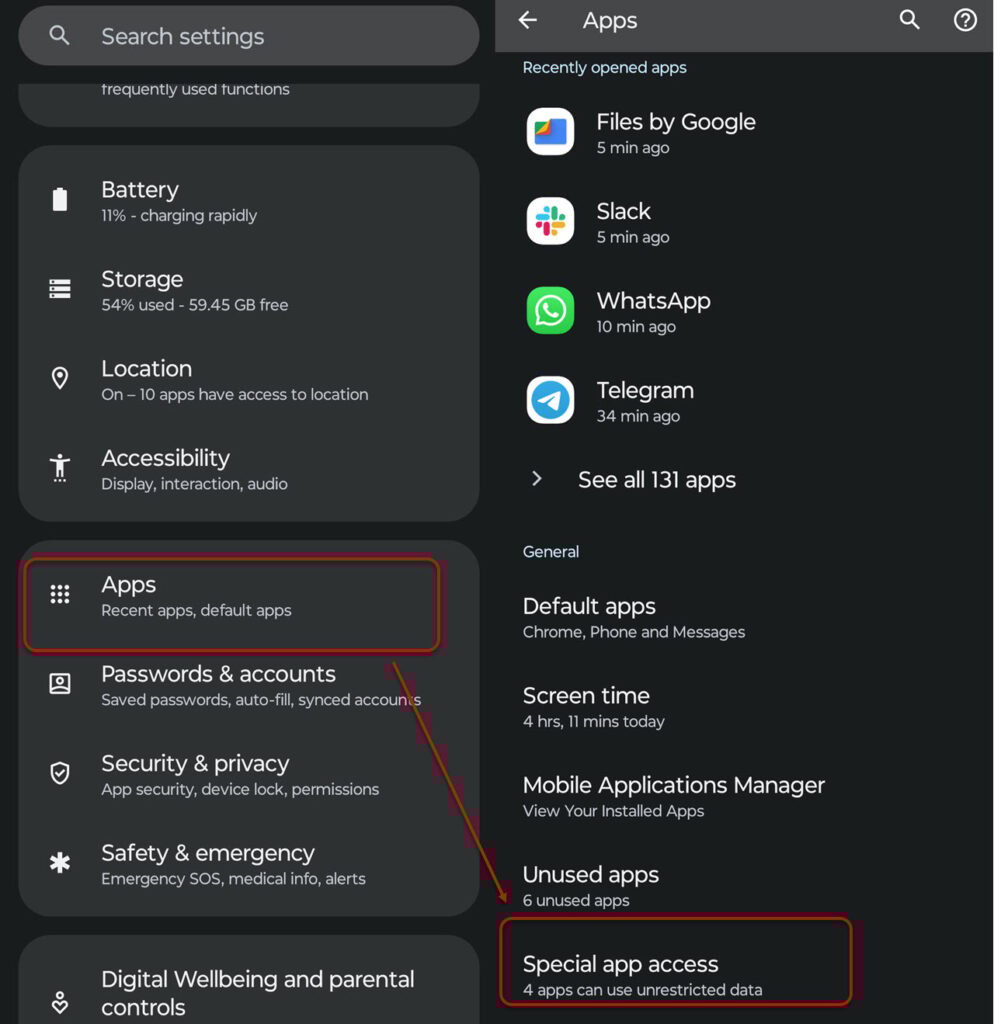
- Open Settings > Apps.
- Tap on Special app access.

- Next, tap on the WiFi control.
- After that, select an app and turn off the toggle in front of the Allow app to control WiFi.
Reset WiFi settings
Resetting WiFi settings is the last option to fix your WiFi turning-on issue. Here’s how to do that:
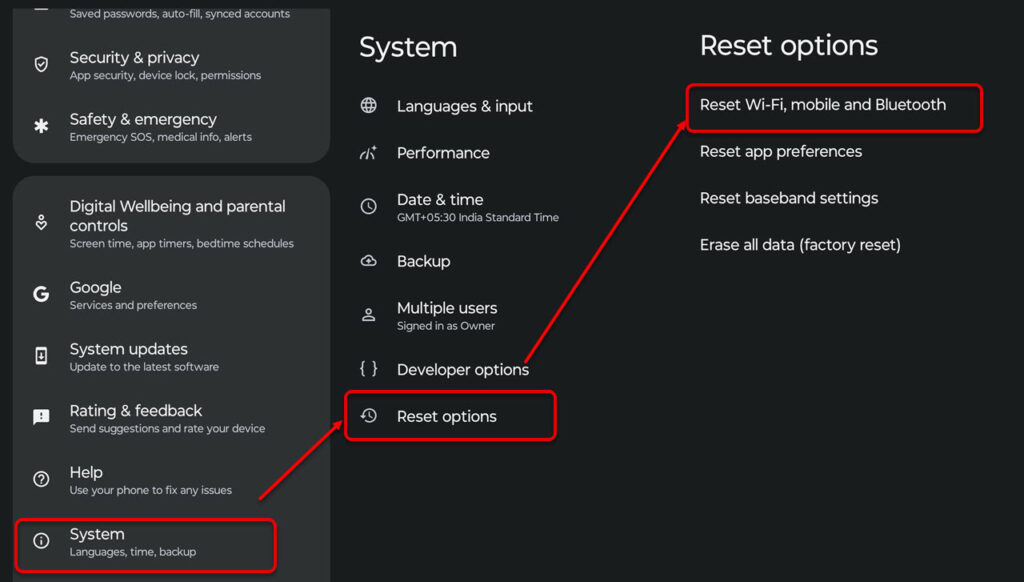
- Open Settings > System.
- Tap on Reset options.
- Tap on Reset WiFi, mobile and Bluetooth.
Also read: How to check data usage on your iPhone and iPad?
WiFi keeps turning on: iPhone
After Android, let us head to WiFi keeps turning on the problem on the iPhone.
Properly turn off the WiFi
Turning off WiFi on an iPhone is quite easy. Head to Settings > WiFi and then turn off the toggle. Head to this article to turn off WiFi and Bluetooth on your iPhone.
Forget WiFi network
If you select this option, your iPhone will not connect automatically to WiFi. Here’s how to do this:

- Head to Settings > WiFi and select the WiFi name.
- Tap on Forget.
Turn off Auto Join
Sometimes, your iPhone will automatically connect to the WiFi in your area. To stop it, follow the instructions given below:

- Head to Settings > WiFi and then select the WiFi.
- Now, turn off the toggle in front of Auto-Join.
Use WiFi Assist
WiFi Assist on iPhone will force the cellular data to activate automatically when the WiFi is slow or is lagging.
Head to Settings > Mobile Data > WiFi Assist. Then, turn off the toggle.
Reset network settings
Follow the steps given below to reset network settings on your iPhone:
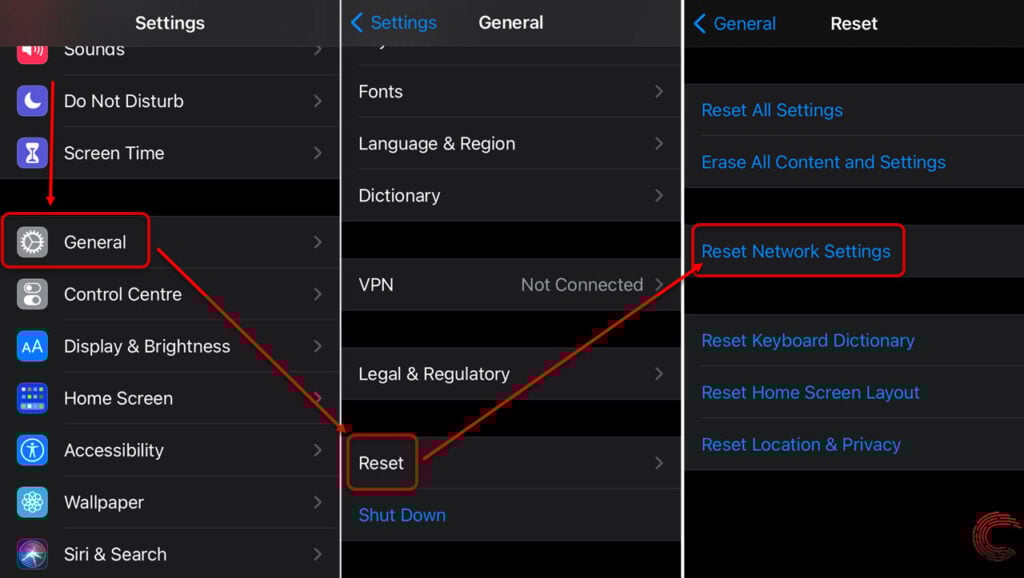
- Open Settings > General.
- Select Reset > Reset Network Settings.
In conclusion, if your WiFi keeps turning on automatically, follow the above steps to fix the issue.
Also read: Why does my iMessage keep turning off?


