Sometimes, your AirTag may not be reachable, which can bother many people. AirTags are tracker devices you place on your valuables to protect and locate them if someone else tries to steal them.
In this article, we’ll explain why your AirTag is unreachable and how to fix the issue.
Why is your AirTag not reachable?
There may be several possible reasons why your AirTag is not reachable. Some of them are as follows:
Low battery
AirTags are powered by CR2032 batteries that last for a year or so. You cannot recharge the batteries once they are low. The only option is to change them when you get the notification on your Apple device.
If you forget to change the batteries, the AirTag will not operate, and the internet connection will be broken.
Outdated iOS
Sometimes, outdated iOS can result in non-functioning on many apps, including Find My. Outdated operating systems are also a security risk and are prone to bugs.
If Find My isn’t working, you won’t be able to contact or locate your AirTag.
Faulty location and privacy settings
The third reason your AirTag is not reachable is misconfigured or faulty location and privacy settings on your iOS. You may have to reset or change these settings for the AirTag to work properly.
Also read: How to refresh your AirTag’s location?
How to fix AirTag not being reachable on your device?
Now that we have understood the potential reasons why your AirTag is not reachable let us head to the fixes.
Restart your iPhone
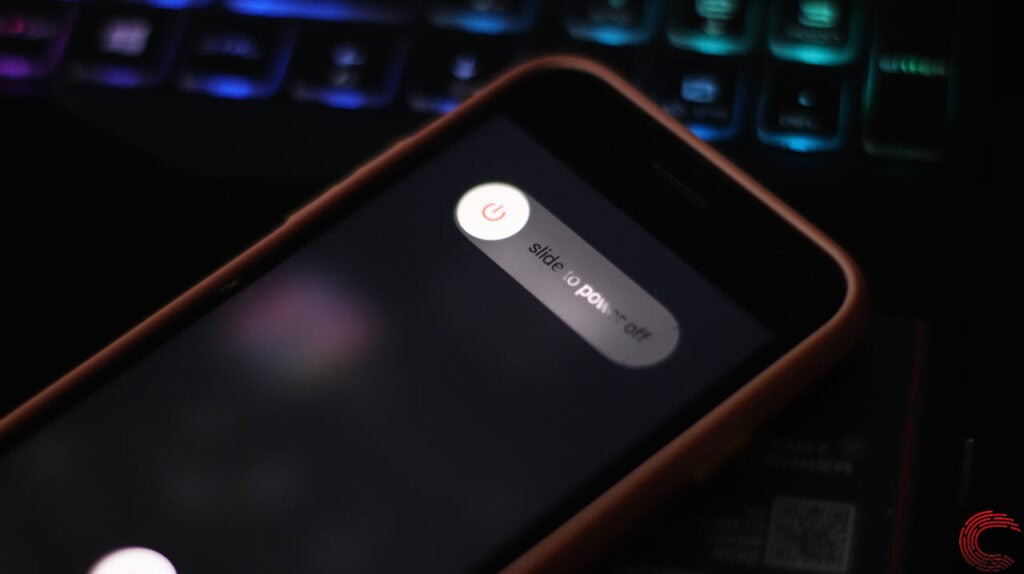
Sometimes, the simplest fixes are the right ones. What can be more easier than just restarting your iPhone? Give it a try to flush out the bugs and clear the RAM. If it works, that’s awesome; otherwise, head on to more technical fixes.
Check and change the AirTag’s battery
As explained earlier, AirTags are powered by a CR2032 coin battery. If, for some reason, the battery malfunctions or runs out, the AirTag won’t work at all and will be unreachable.
Here’s an article on how to check and change AirTag’s battery.
Force reset Find My app

Maybe a minor bug in the Find My app is causing problems with the AirTag’s location. So, swipe up to open the app switcher and then swipe up the Find My app to close it.
Now, tap on the app again to open it. Maybe this time, it’ll work.
Check the location services
Your location services may not be turned on, resulting in the AirTag not reachable message.
Here’s how to turn on location services on your iPhone:

- Head to Settings > Privacy and Security.
- Tap on Location Services.
- Then, enable the toggle beside Location Services.
Reset Location and Privacy settings
Resetting the Location and Privacy settings may also help in fixing the issue. Here are the steps to do so:

- Navigate to Settings > General .
- Then tap on Transfer or Reset iPhone.

- Next, tap on Reset.
- Then select Reset Location and Privacy.
Also read: How to find an AirTag in my car?
Reset network settings
Yet another fix that you try when your AirTag is not reachable is to reset the network settings.
- Open Settings and then tap on General.
- Next, select Transfer or Reset iPhone.

- Tap on Reset.
- Then select Reset Network Settings.
Update iOS
Updating your iOS can also be one of the solutions to resolve the AirTag not reachable on your iPhone issue.
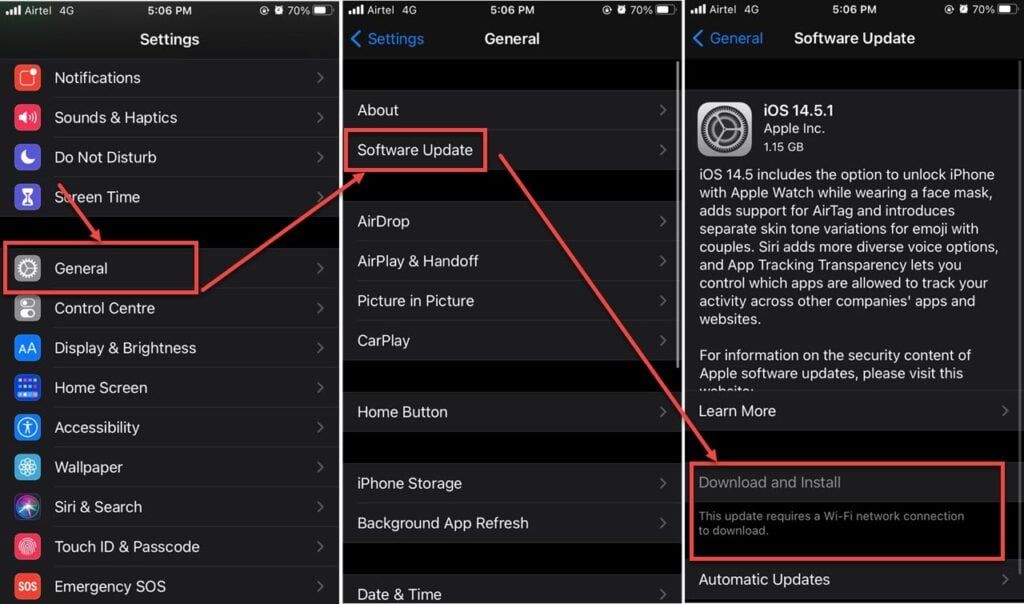
- Open Settings and head to General.
- Then tap on Software Update.
- Then tap on Download and Install.
Thus, following the steps above, you can easily resolve the AirTag not reachable problem on your iPhone.
Also read: How to add AirTag to the second phone?