
If you have a lot of contacts on your mobile phone and want to know how many contacts you have, you are at the right place.
Knowing how many contacts you have serves many purposes, such as weeding out unnecessary ones, enhancing your network, and better communication.
In his article, we’ll explain how you can determine the total number of contacts on your phone.
How many contacts do you have on Android?
Here’s how to know how many contacts you have on Android:

- Open the Contacts app on your device to see the number of contacts at the top. These are the total contacts on your device.
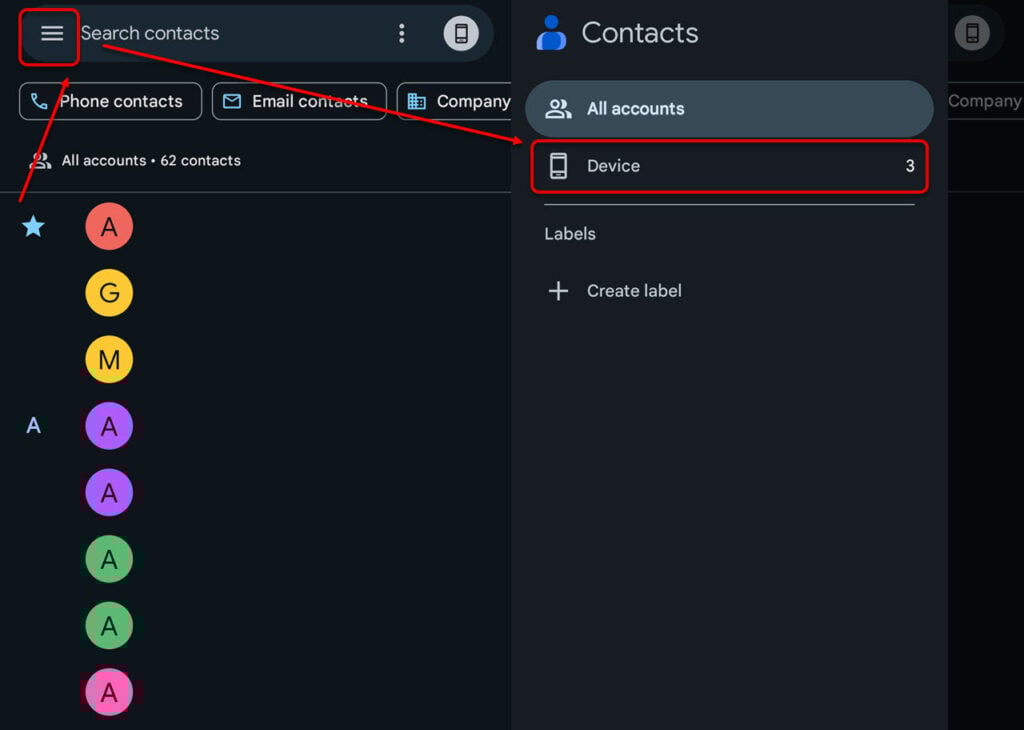
- To see your contacts stored on your device, tap on the hamburger menu and then tap on Device.
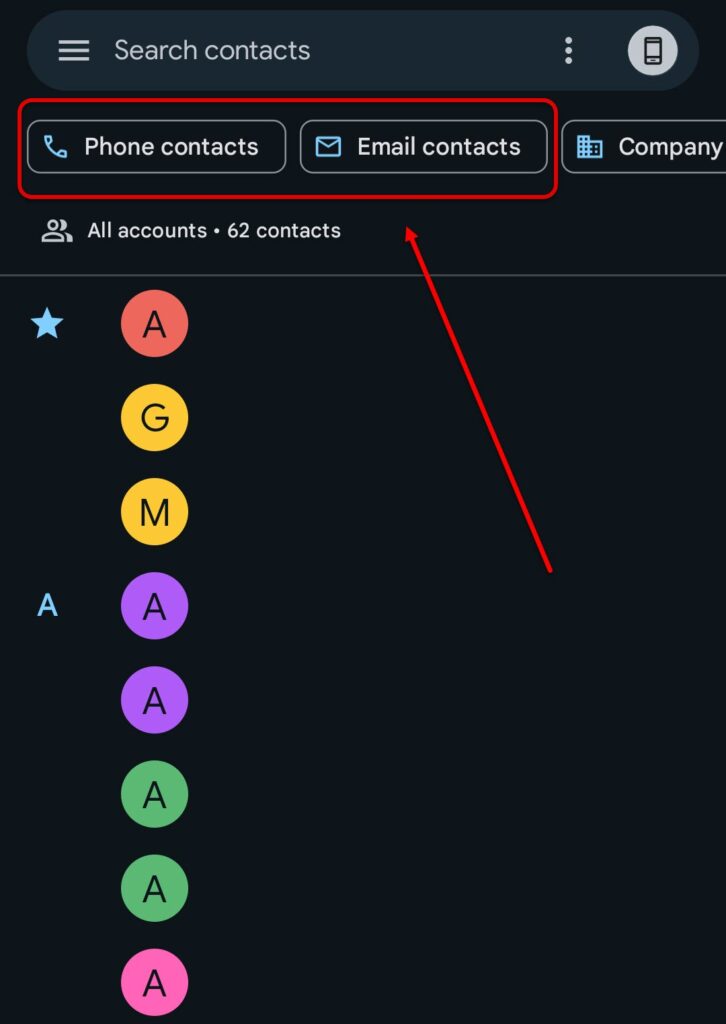
- Tap on Phone contacts or Email contacts to view your phone or email contacts.
Also read: Why does my location keep turning off?
How many contacts do you have on your iPhone?
To see your total contacts on an iPhone, follow the instructions given below:
- Open the Contacts app on your iPhone and then scroll down to the bottom to your contacts.
- Tap on Lists to see the list of accounts that you have on the iPhone and the contacts in each of those accounts.
Also read: Contacts disappeared from the phone: Quick Fix
Tips for organising and managing your phone contacts
In this section, we’ll talk about some tips and tricks for managing your phone contacts:
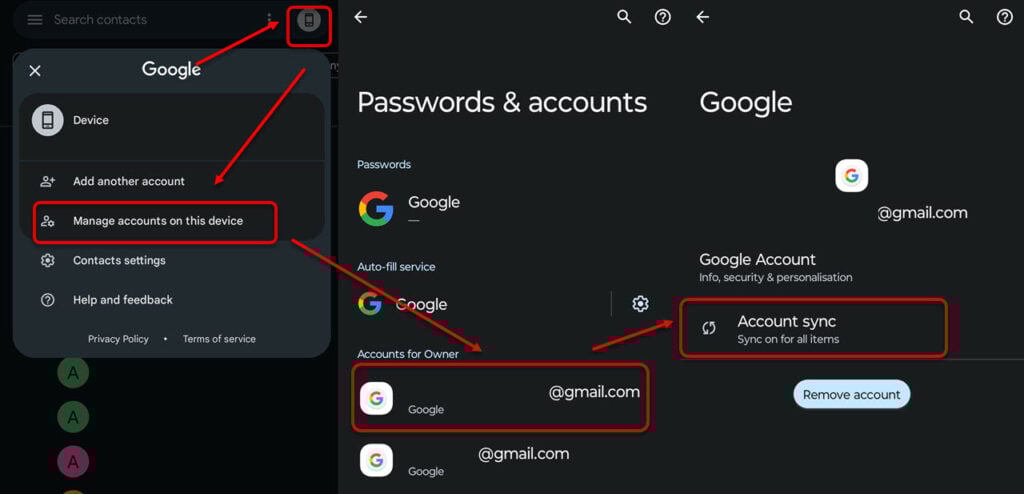
- Regularly update your contacts: You should regularly update your phone’s contact list. For this, you can turn on sync in your Contact app. Open the Contacts app and then head to the Device icon at the top right and tap on Manage accounts on this device. After that, select your account and then tap on Account sync. Then, turn on the toggle in front of Contacts.

- Organise your contacts in various groups: For more control over your contact list, you should organise your contacts in various lists such as home, office and other, etc. Head to the hamburger menu and then select Create Labels. Enter the name of the label and then tap on Add a contact.
- Frequently engage with your contacts: Just having a contact on your phone won’t do a thing. You will have to regularly keep in touch with your contacts depending on who they are and where they work. This will help you increase your social network, which can be beneficial for work and other matters.
- Weed out unnecessary or outdated contact information: Keeping your contacts database up-to-date is necessary today. Flush out outdated and unnecessary contacts to further optimise your contact list.
In conclusion, knowing how many contacts you have is the first step in managing your contacts. Follow the instructions given above to know your contacts and manage them accordingly.
Also read: How to transfer contacts from Android to Android?


