
Photo: Primakov / Shutterstock.com
Knowing how to stop a download on Android is as useful as applying brakes in a car. Consider this: you go to the Google Play Store and accidentally tap on an app you don’t want to download, have clicked on a suspicious link somewhere, or have received an unwanted file in your WhatsApp or some other messaging app. What will you do then?
Well, your first course of action would be to stop the download at all costs, as you don’t know what malicious activity the app or the files will perform once installed on your Android device.
In this article, we are here to explain how you can stop downloads on Android.
Stop a download from the Google Play Store
As you know the Google Play Store is the official app store for Android, where you can find tons of apps, mostly for free.
Google claims that it checks the apps rigorously for any malicious activity, but a recent report by the Mozilla Foundation found that Google’s Data Privacy Labels are false and misleading.
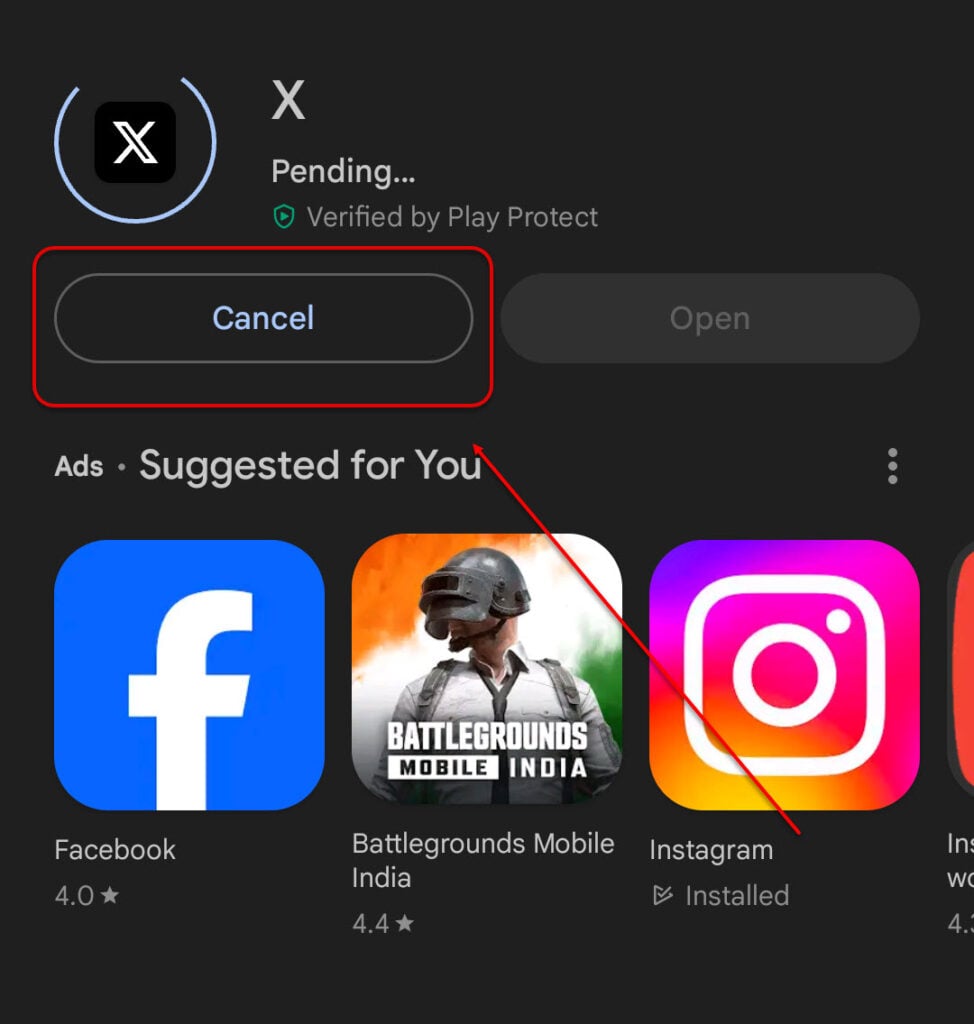
So, if you’re downloading an app by mistake or that you think is not right somehow, you should immediately cancel the download. Just press the Cancel button located on the left side to do that.
Remember to tap the Cancel button as quickly as you can; otherwise, the app will be downloaded on your device.
Also read: Google Bard not working: Quick Fix
Stop downloading from an app
There are several other ways to download files from other places, including third-party apps, messaging services like WhatsApp, Telegram, and Signal, or a link on your browser.
In several of the above cases, stopping a download is not as easy as tapping on a button. However, you can follow the steps given below:
- Switch off your WiFi or mobile data: If you turn off the internet connection on your phone, all the downloads will be paused.
- Turn on the aeroplane mode: Switching on the aeroplane mode will turn off all the cellular connections, including Bluetooth, WiFi and internet.
- Power off your Android mobile: This is a bit extreme but can be helpful.
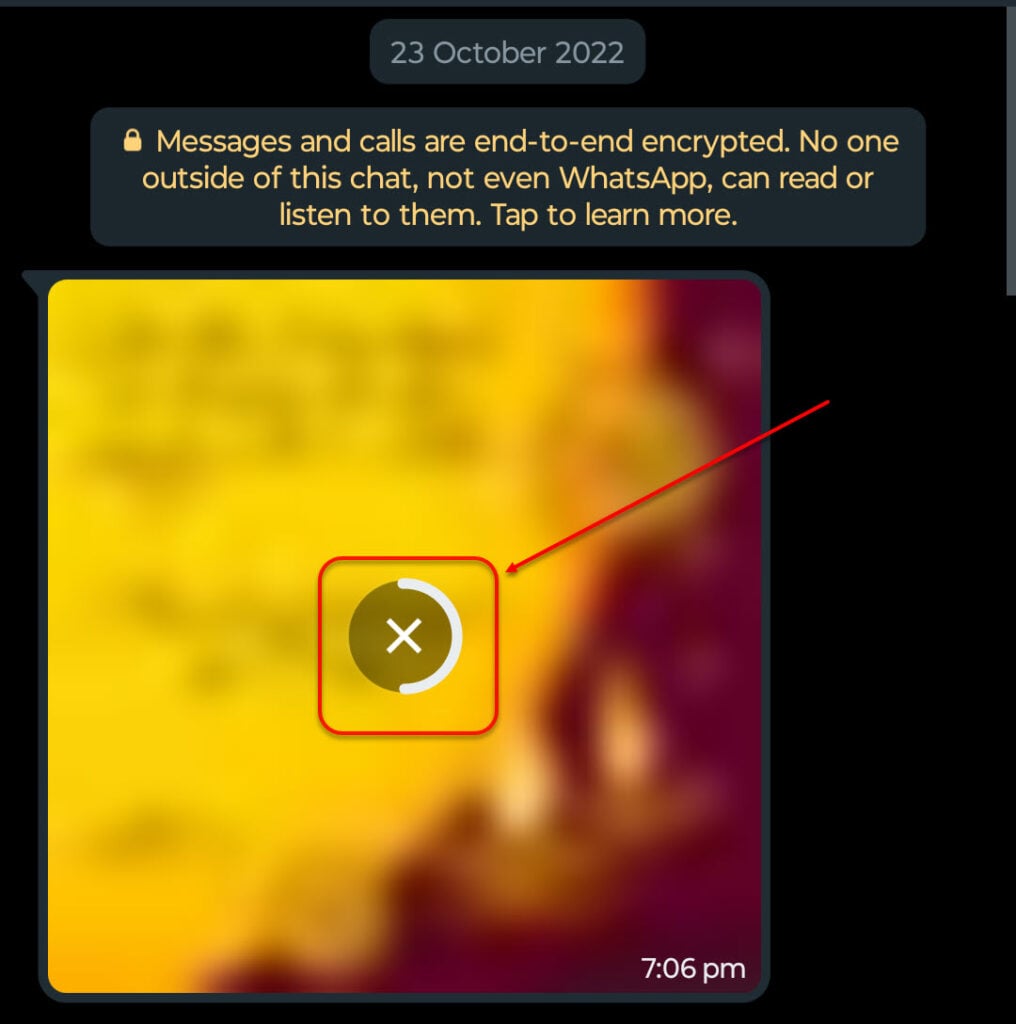
While downloading from a messaging service like WhatsApp, you can quickly press the cross button in the centre of the image or a file.
However, remember that these methods, although a bit extreme, may not work for all applications as some apps merely pause the download when there’s an interruption in the internet and will resume the download when the connectivity is resumed.
Also read: Fix: 1 file failed to validate and will be reacquired
Stop the download from the notification panel
Another way to stop a download on Android is to open the notification panel and cancel the download from there.

To open the notification panel, swipe down from the top of the screen. Now, tap on the downward arrow and then select Cancel.
That being said, some apps do not show downloads in the notifications. So, you’ll have to be a bit careful.
Also read: How to find hidden spy apps on Android?
Prevent unnecessary downloads on Android
If you find yourself downloading unnecessary apps, you can prevent that by following the given steps:
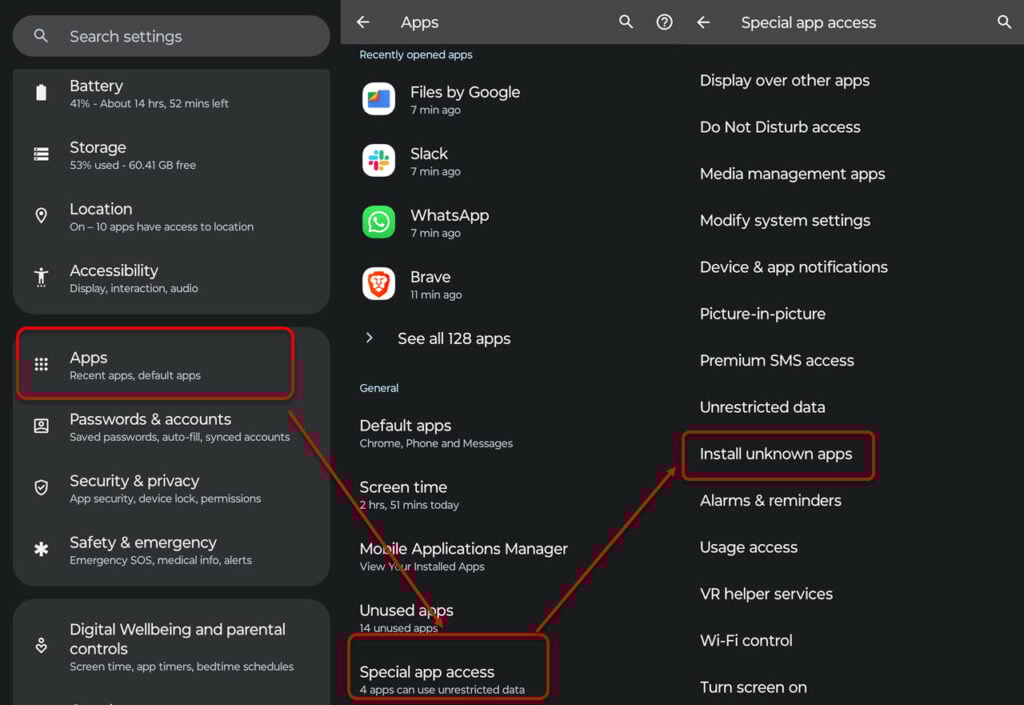
- Open Settings and then head to Apps > Special app access.
- Next, tap on Install unknown apps.
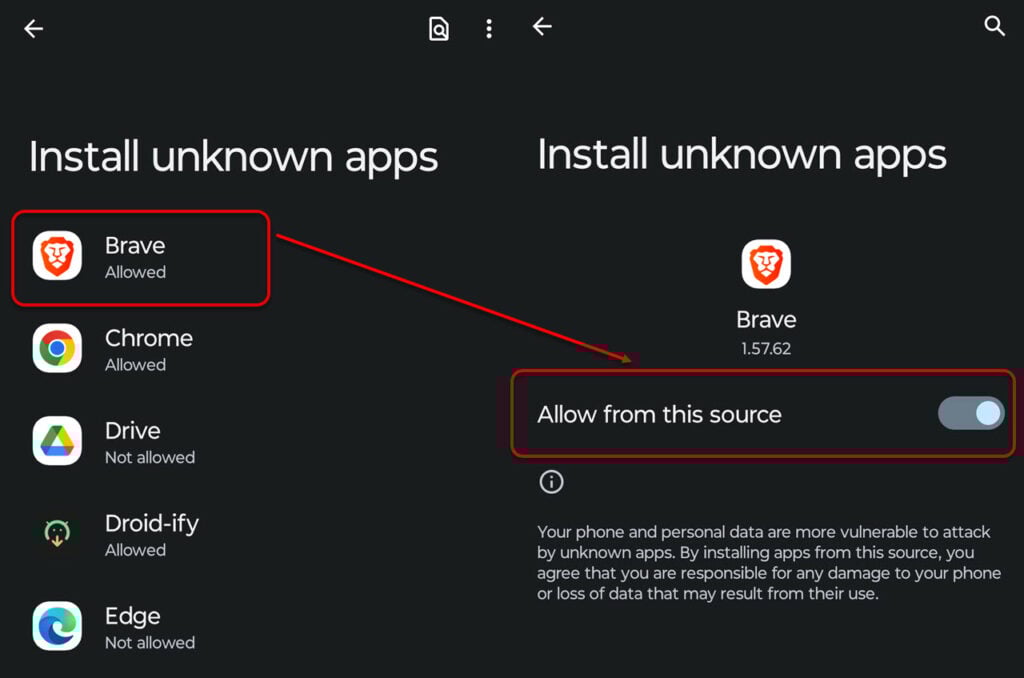
- Now, tap on the apps and then turn off the toggle in front of Allow from this source.
In case you have downloaded the file or an app, you can easily delete or uninstall it from the source.
Also read: How to trim a video on Android?


