
Having network coverage is essential at any given point as smartphones start relying on internet connectivity more and more. Not having an internet connection or LTE connectivity on the go can render just about all apps on your phone useless, not to mention the fact that you can’t make phone calls.
In this article, we’re going over a few solutions that’ll get your LTE connection up and running again.
Restart the device
The first thing you should try out in such situations is restart your phone. Restarting can resolve many seemingly random issues, primarily network or SIM issues. You can also try toggling airplane mode on and off.
Also read: Sim card not working: 9 Fixes
Properly insert and connect the SIM
You should also check whether or not the SIM card fits the tray correctly and touches the metal contacts inside. More often than not, an improperly inserted SIM card or loose connection of the SIM tray can cause your phone to lose connectivity.
It’s also not harmful to clean the card with a cloth (preferably microfiber) to remove any dust from the metal contacts. Now, correctly re-insert the SIM card to resolve the issue.
Check for SIM card damage
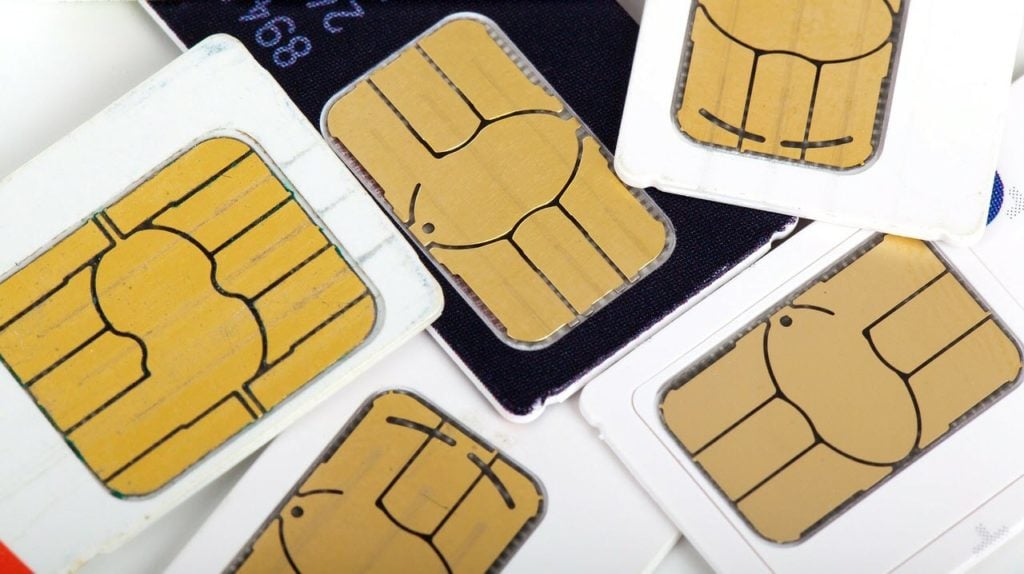
Next up is a physical inspection of the SIM card to ensure that it doesn’t have any damage that might hamper the connection between the SIM card and the tray in your phone.
If the SIM card is damaged, you’ll need to contact the carrier to get it replaced, but if everything looks fine, move on to the next step.
Check SIM on another device
You can also check the SIM card on another phone to see if there’s a problem with your phone’s SIM slots.
If the SIM works on another device, the culprit here is your smartphone. You’ll need to contact the smartphone manufacturer and get your phone repaired to resolve the issue, or you can, of course, use the SIM on an alternative device.
Try activating SIM manually
If you have just bought a new SIM, more often than not, it’ll automatically activate itself in about 24 hours. However, if it doesn’t, you can try doing so manually.
Most cards require you to send a text message to a particular number, call an automated activation line or log into the carrier’s website. However, your activation process might be completely different depending on your service carrier.
Also read: How to activate AT&T phone? Guide for SIM and eSIM activation online
Wait for activation
If you’ve recently purchased the SIM card, it’s likely not been activated by the carrier yet. As mentioned above, it can take up to 24 hours for the service provider to activate the SIM card. You can either wait for automatic activation or contact the carrier to get it done quicker.
Check if your SIM card is enabled
Some phones have an option that can be used to enable or disable SIM cards in the phone. Check your settings to ensure that your SIM isn’t disabled.

- Head over to your phone’s settings and tap on Network & Internet.
- Tap SIM Cards.
- Make sure both your SIM slots are enabled.
Reset your phone’s network settings
Incorrect network settings can cause all sorts of problems, including SIM cards not being detected or malfunctioning. Doing this resets your WiFi networks, Bluetooth connections, cellular and even VPN settings.
Check out our detailed guide on how to reset network settings what doing so can do here
Set the network mode to auto
Open your phone’s settings and follow the steps mentioned below.
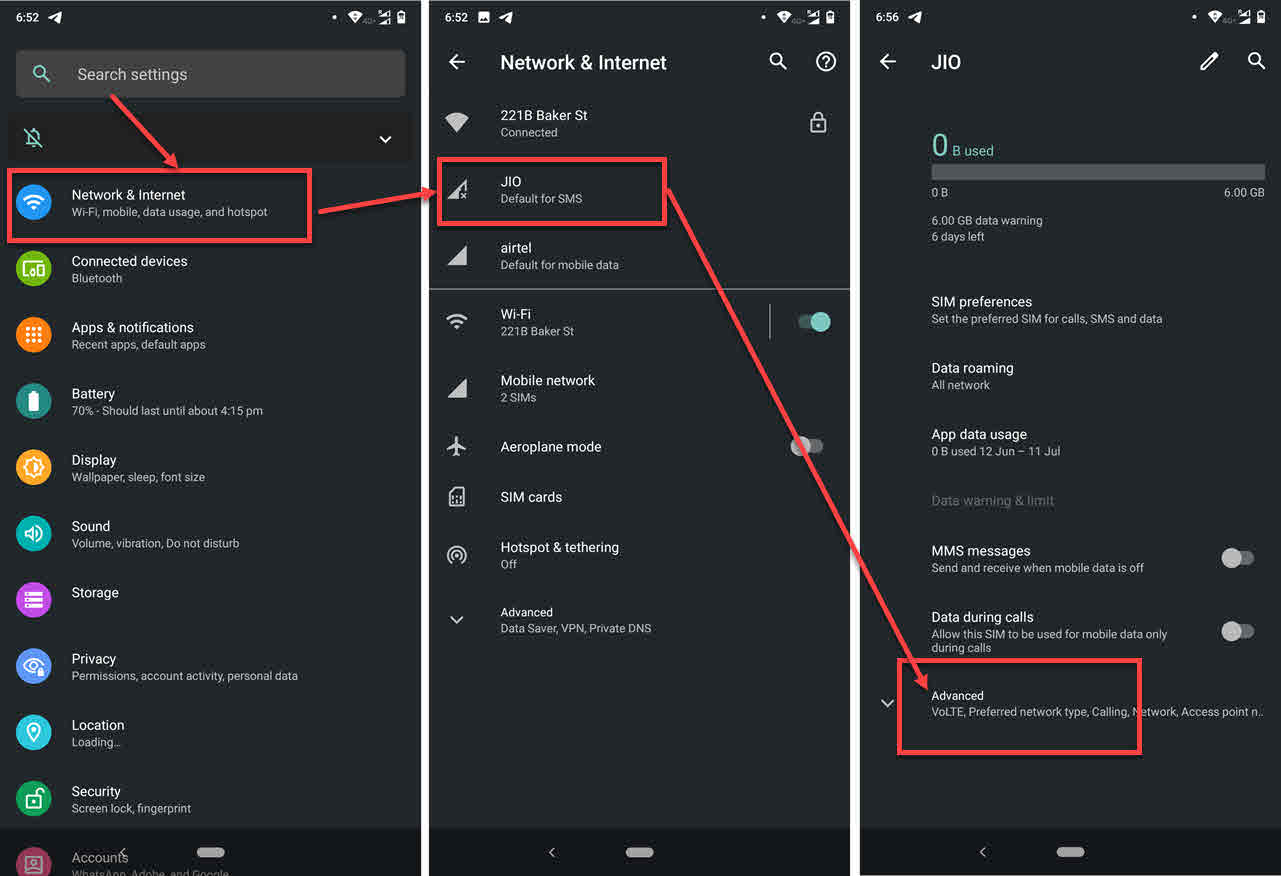
- Head over to your phone’s settings and tap on Network & Internet.
- Tap on the SIM that’s causing problems.
- Tap Advanced.

- Tap Preferred network type. Make sure that the recommended network type is selected.
- Also ensure that the Automatically select network toggle is enabled.
Check your APNs
Incorrect APNs can also mess up a SIM card’s network registration. Follow these steps to make sure you’re on the right APN. Make sure to confirm your APN settings with your network carrier beforehand.
- Head over to your phone’s settings and tap on Network & Internet.
- Tap on the SIM that’s causing problems.
- Tap Advanced.

- Tap Access point names.
- Make sure the right APN is selected.
Contact service provider
If activation isn’t the issue on your SIM card either, it’s time to call your carrier and describe the problem to them. After all, they’re in charge of the network and, in turn, your SIM. It’s pretty likely that your carrier will have some solution ready and will be able to diagnose your issue correctly as well.
Also read: Sim not provisioned MM#2: 10 Fixes





