AirTags, Apple’s innovative tracking devices, have become an invaluable tool for locating lost or misplaced items. However, there are situations where you may want to conserve the battery life of your AirTag, especially if you’re not actively using it. Fortunately, there is a way to turn off AirTags, helping them save precious battery power.
This article discusses how to turn off AirTag, when to turn it off and a few tips to improve the battery life of AirTag.
Also read: Does AirTag need to be charged?
How to turn off an AirTag?
There is no direct way to turn off an AirTag. The only way to turn it off is by removing its battery. To remove its battery, follow the steps below:

- Press the Battery Cover (the metal one with the Apple logo) and rotate it anti-clockwise.
- Take the cover off, and then take out the Battery gently.
AirTag will turn off. To enable it again, place the battery back in with the positive terminal facing the outside, place the cover on the grooves and turn it clockwise. You’ll usually hear the AirTag beeping when you do that — nothing to worry about.
Also read: How to check your AirTag’s battery?
When to turn off your AirTag?
There are scenarios where turning off your AirTag can be beneficial:
- Infrequent Use: If you don’t use your AirTag very often, switching it off when you’re not actively using it can help make the battery last longer.
- Travelling: When storing your bags or other belongings for a while, it’s a good idea to turn off the AirTag to save on battery power.
- Privacy Concerns: For those concerned about privacy, turning off AirTags when not required can help avoid any potential tracking concerns.
Tips to improve its battery life
Here are a few tips that will help you improve the battery life of your AirTag:
Disable sound
Disabling the sound that it makes when it is left behind can improve its battery life; here’s how to do that:

- Go to Find My app, tap Items, and choose your AirTag.
- Scroll down and tap on Notify When Left Behind.
- Turn the toggle off beside Notify When Left Behind and tap on Done.
- It will give you a warning as it is a security feature; tap on Not Now.

Enable Low Power Mode
Enable low power mode on your iPhone can also help improve the battery life of your AirTag. This mode helps save power by disabling specific features and reducing overall power consumption. Here’s how to do it:
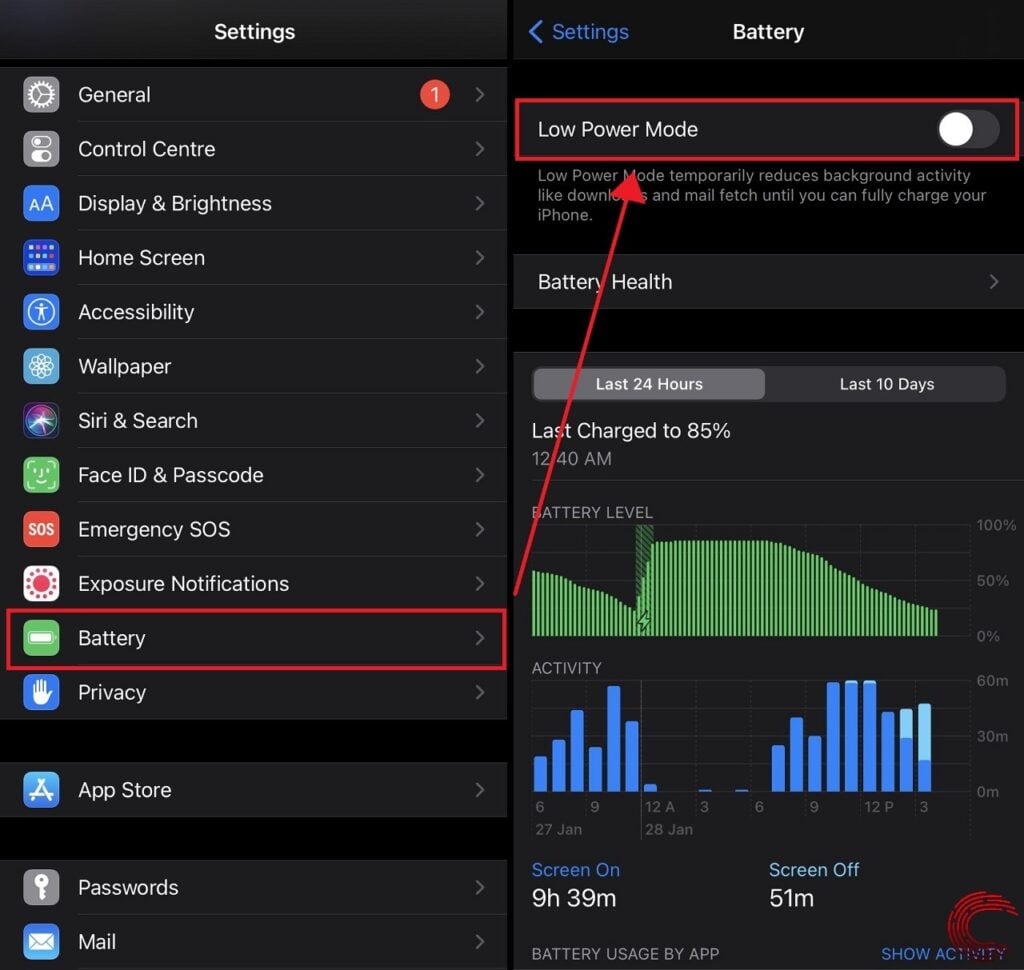
- Go to the Settings app and tap on Battery.
- Turn the toggle on beside Low Power Mode.
Also read: How to reset your AirTag?