
You must have heard about the Realtek Audio Console application if you are using a Windows PC with a Realtek audio device. This software allows users to adjust audio device effects and all the audio device settings for your Realtek audio hardware devices.
In this article, we’ll explain the Realtek Audio Console app and how to download and install it on your PC.
What is Realtek Audio Console?
The Realtek Audio Console is an advanced version of Realtek HD Audio Manager.
- Using this software accessory, you can configure audio devices such as microphones, headsets, and speakers, among others.
- With this tool, you can also tweak volume settings alongwith other audio settings for each peripheral connected to your PC.
- Realtek Audio Console lets users add advanced settings such as headphone virtualisation and equalizers.
Thus, it is a predecessor of Realtek HD Audio Manager and contains all its features, including some additional ones.
Also read: How to install Realtek audio driver in Windows 11?
How to download and install Realtek Audio Console on Windows OS?
You can download Realtek Audio Console on the Windows operating system by heading to your manufacturer’s website.
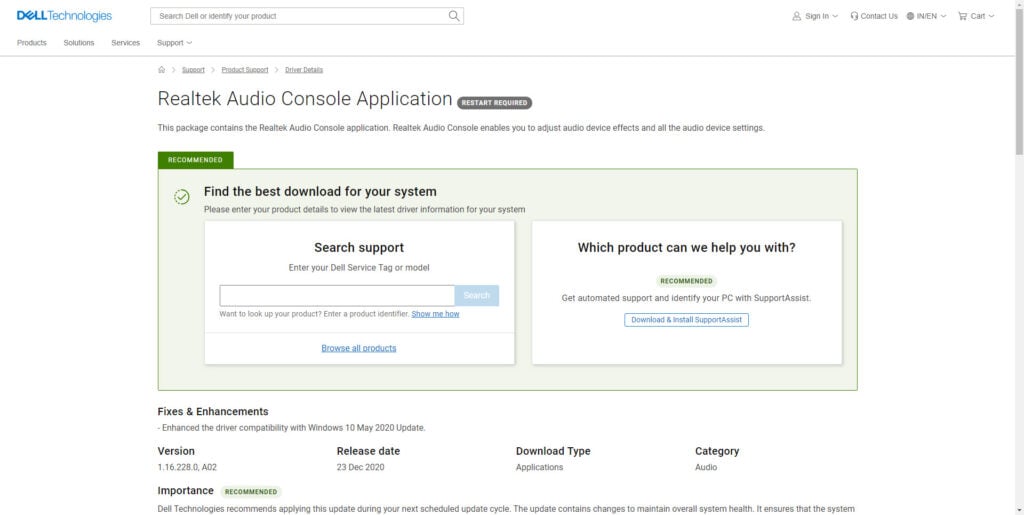
Here, enter your computer’s make and model and click Download to finally download a copy of Realtek Audio Console on your PC.
Once the installer is downloaded, run it and then give your PC a restart for the application to take effect.

Another way to install Realtek Audio Console is by visiting the Microsoft Store and downloading the software from there.
Also read: How to fix ‘Realtek HD Audio Manager Missing’ in Windows 10?
How to update Realtek Audio Console?
If the Realtek Audio Console is not working properly or has some problems with its functions, you can try to update it to resolve the issues.
Update from Microsoft Store
You can download or update to a new version from the Microsoft Store. Just click on the Update button to start updating the app.
Update from Device Manager
The second method to update the Realtek Audio Console is to update the Realtek driver from the Windows Device Manager simply.

Open Device Manager and then expand the Sound, video and game controllers section. Then right-click on Realtek(R) Audio and select Update.
Update Windows
The third way to update the Realtek Audio Console is to update the Windows OS. When you update Windows, all the major files, including the audio drivers, will automatically get updated.
For more information, visit our article on how to update Windows. For tech aficionados, we have covered how to update Windows from Command Line and PowerShell.
In conclusion, Realtek Audio Console is an application that allows users to adjust their audio settings using several features and tweaks. You can download it from the Microsoft Store or the device’s manufacturer’s website.
Also read: Realtek Semiconductor Corp extension install error: Quick Fix


